Insights
10 Ways to Control Your Anthropic Spend
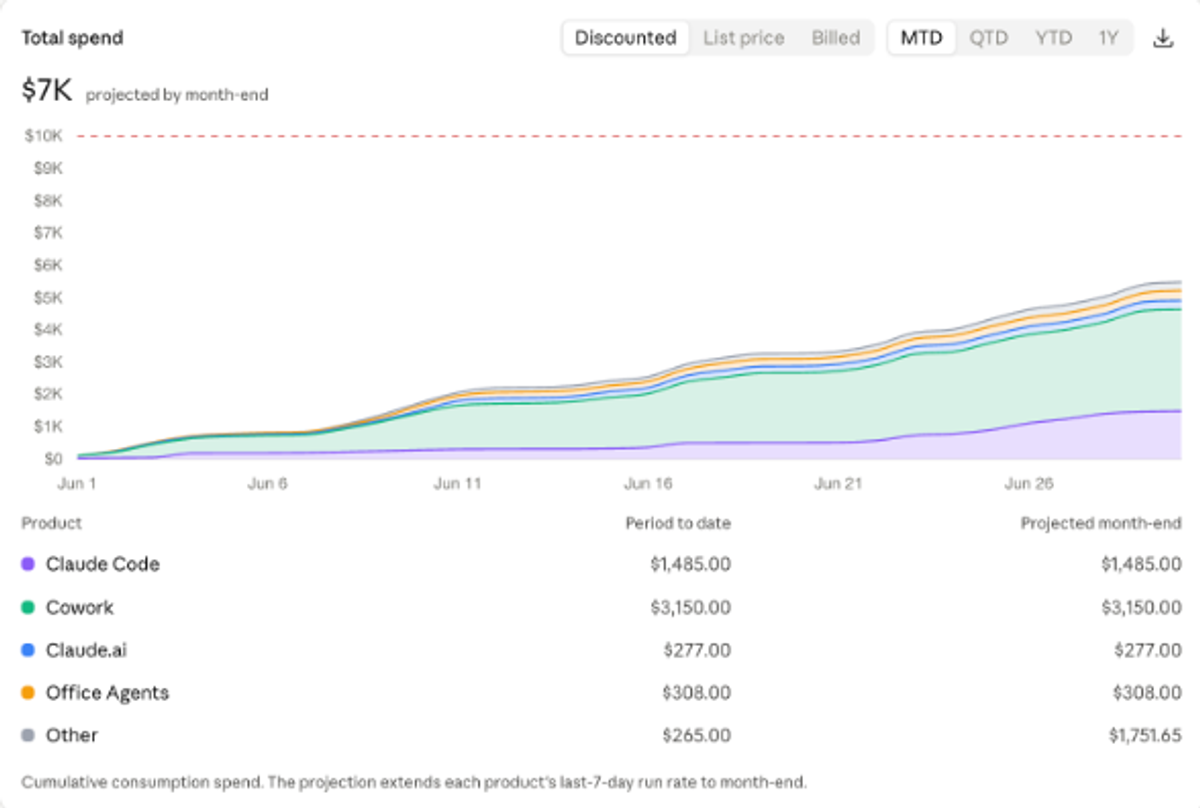
A couple of weeks back we held a breakfast for CFOs and Finance Directors trying to get a handle on their AI budgets.
You might not have heard of a token six months ago, but in six months' time it could be the biggest line item on your P&L.
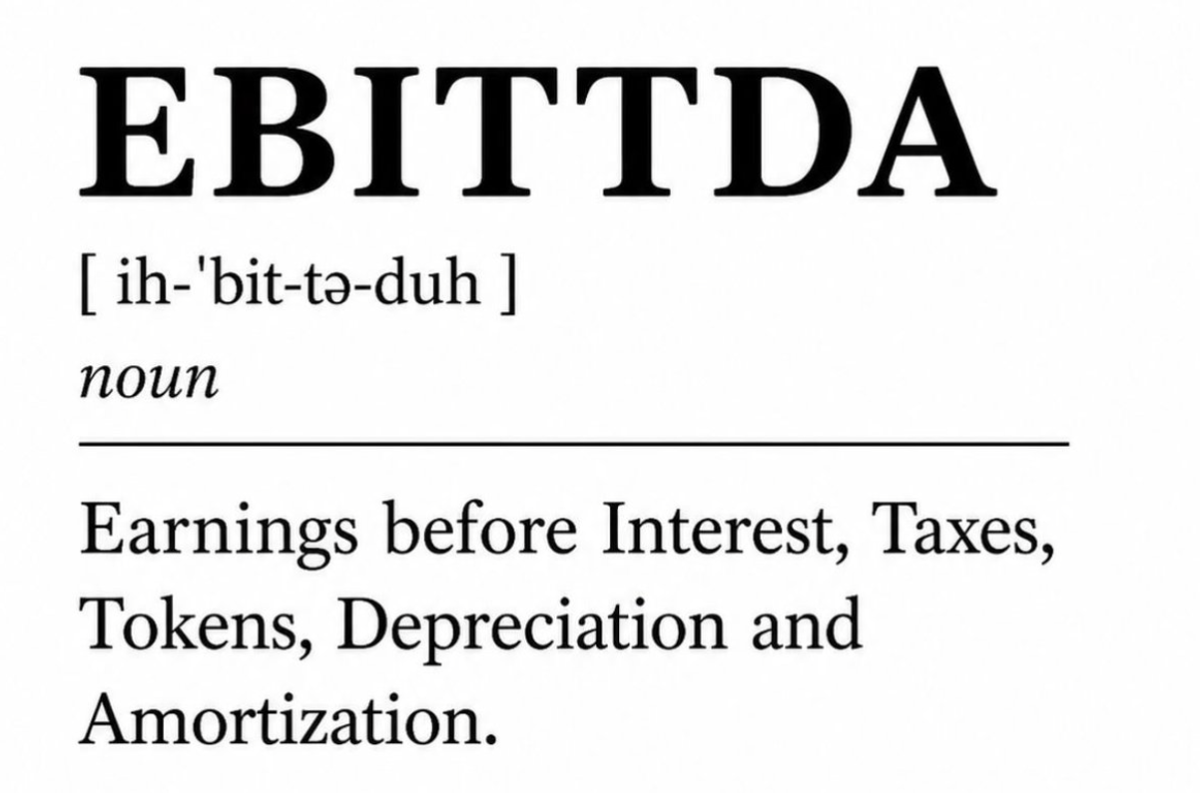
You might even start reporting a new financial metric.
We see companies doing Claude Limbo - trying to keep their usage under 150 seats so they can stay on the subsidised Claude Team plan without migrating to pay as you go Enterprise.
This can look like multiple Claude Team plans, it can look like multiple Claude Max plans, it can look like limiting Claude to a subset of users and using an alternative provider (Gemini, Copilot, ChatGPT) for other users.
The correct longer term strategy is to implement Enterprise correctly - and here are some techniques to keep on top of your spend.
1. Consolidate into one organisation
If your current usage is split across multiple team plans, and multiple personal Pro and Max plans, then you have no visibility of what is happening at an organisational level. Beyond the compliance and data privacy issues of individuals using personal expensed accounts, you need to get a handle on what your baseline is.
You can promote a single Team account into your Enterprise, or purchase a new Enterprise account into which you will recreate your existing users.
Enterprise has two modes:
- Self-serve Enterprise - you buy credits upfront and consume them until you reach zero or reload
- Sales-assisted Enterprise - you pay in arrears, with no limits unless you set them.
This is important as it will impact how you set limits and what happens when they are hit.
Note: You will have two Anthropic bills - one is for your physical employees via your Enterprise account giving humans access to Claude.ai, Cowork, Claude Code and so on. You will have a second account and bill for Claude Platform - their APIs and Managed Agents platform - we'll look at that shortly.
2. Set an organisational spend ceiling
You can set limits at three levels - organisational, group, and individual.
Make sure you have an organisational limit - this is your ultimate back-stop and prevents any unforeseen surprises.
As an admin you will get alerts at 75% and 90% of usage, and if you blast through them, with an organisational limit your worst case scenario is Claude stops working for your teams and you have time to review and decide your next steps.
3. Build user groups that mirror your cost centres
A big bill that you can't model against your org chart is no use - you will want to know Marketing are spending X per user, whilst customer service are spending Y per user.
Your high priority business units or processes that are driving your business metrics forward will have a much higher return on investment than a back office or support function - so we need to split them out.
Enterprise gives you the ability to create groups, and with SCIM provisioning (ask IT) new starters are automatically assigned to the correct groups, and leavers are removed.
Once groups are in place you can set up per group limits - these work as a per-user limit specifically for users in that group.
For example - your Marketing group may have a limit of $1500 per month (each user has their own $1500 limit) while your legal team has a $500 per month limit (each user has their own $500 limit).
This gives you the opportunity to think about how different teams are using Claude and the value of the outputs they are creating.
Note: Custom roles are an Enterprise feature that works alongside groups. Custom roles determine what a user can do - and can be tied to a Group - check Anthropic docs for more details.
4. Build reports to analyse your baseline
Now you have your broad organisational and group limits in place you are protected from any unexpected bills - and we can start managing the situation.
You have access to detailed reporting via the Analytics tab - this is going to show you usage and cost across the organisation, and by group, and how those costs are mounting up against your set organisational and group limits.
Up until now your organisational and group limits have been numbers pulled out of the air - with the real baseline you can implement more intentional limits based on what is really happening.
5. Wire spend into your finance stack
It's natural to focus on the cost of these models - but you want a way of linking that cost to the return that you get from them - whether that is productivity, accelerating new products to market, selling more deals, or attracting higher quality talent.
Beyond viewing the reports in your Claude admin console, you can use the Analytics API to wire the data into your finance stack.
Your FinOps team might be running Datadog or pulling data into a data warehouse like Snowflake - get your Anthropic cost and usage data in there so you can track against the other datapoints that drive your business forward.
6. Default model and default effort
Different models consume different levels of tokens and incur widely different costs.
As a rough example - Fable 5.1 on max thinking could use 10x the tokens for the same query on Sonnet with low thinking, and incur 50x the cost.
Across totally AI-pilled developers there is a lack of knowledge about which model to use when - and this is even more of a challenge in non-technical teams.
"Surely the bigger model is better and therefore I should use Fable for everything?" your employees say as they rack up $$$ planning their 1:1 with their manager.
Instead, you should set the default model and thinking level safe in the knowledge that the majority of users will not change the default model or thinking in the model selector.
Setting this to Sonnet with Medium thinking will significantly reduce your baseline spend from the default Opus with High thinking.

7. Model entitlements - who can use which models
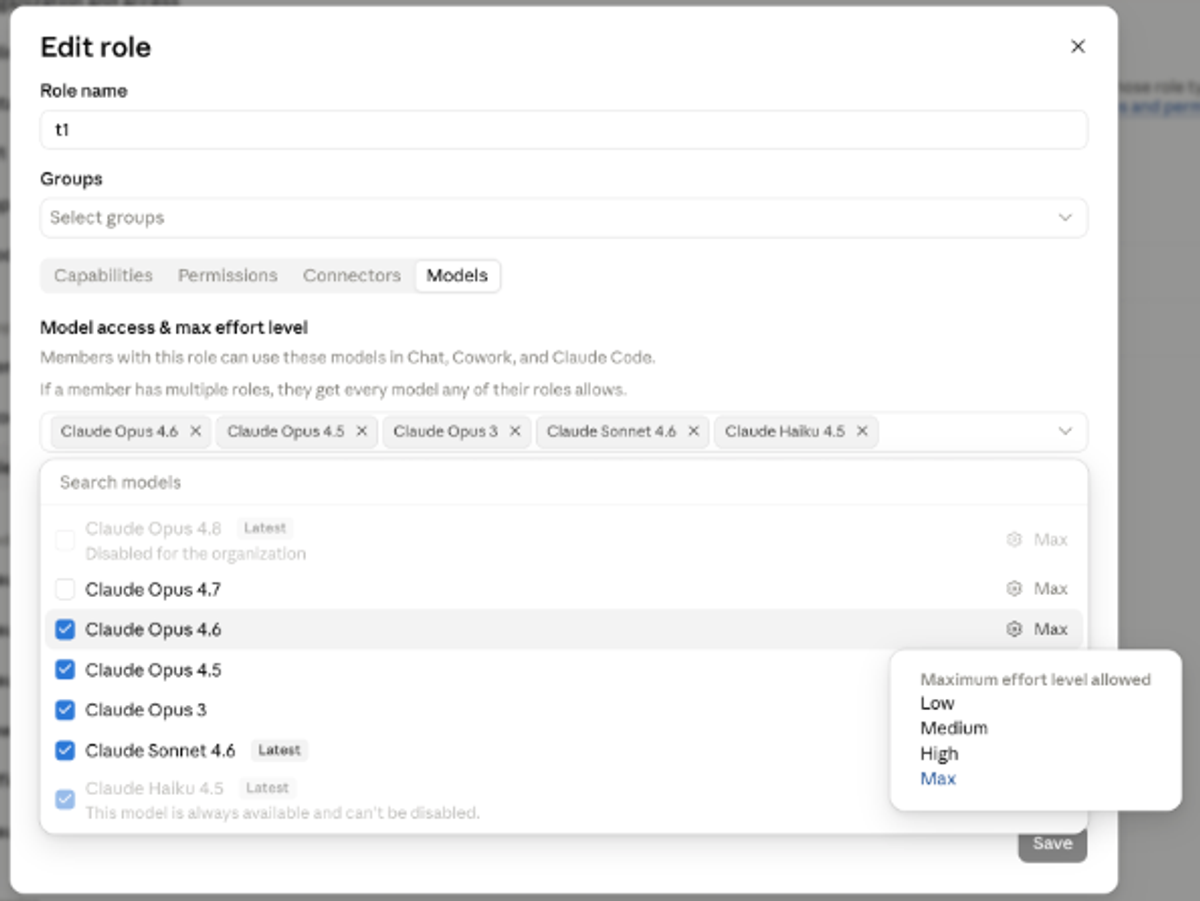
Beyond the organisation default, you should consider whether PhD level intelligence needs providing to every team - at an organisation and group level you can remove certain models - such as Fable, or even Opus - and restrict groups to Sonnet (which is a very capable model and my daily workhorse).
I mentioned Custom Roles earlier - they sit alongside Groups. Once implemented you can get very granular and define which models, at which levels of thinking, are available to each group (ie do sales people need access to Fable?)
8. Gate heavy surfaces
The Claude product family is expanding - we have Claude.ai (the web version), Claude Cowork, Claude Design, Claude Code, Claude for M365 (Excel, Powerpoint plugins etc), Claude in Chrome - and many more to come.
In the same way we discussed limiting the models, does every employee need every product surface?
Using the Custom Roles we looked at earlier, combined with the analytics you viewed, you can decide which groups need access to which products and restrict access to some of the heavier surfaces including Claude Code and Claude Design.
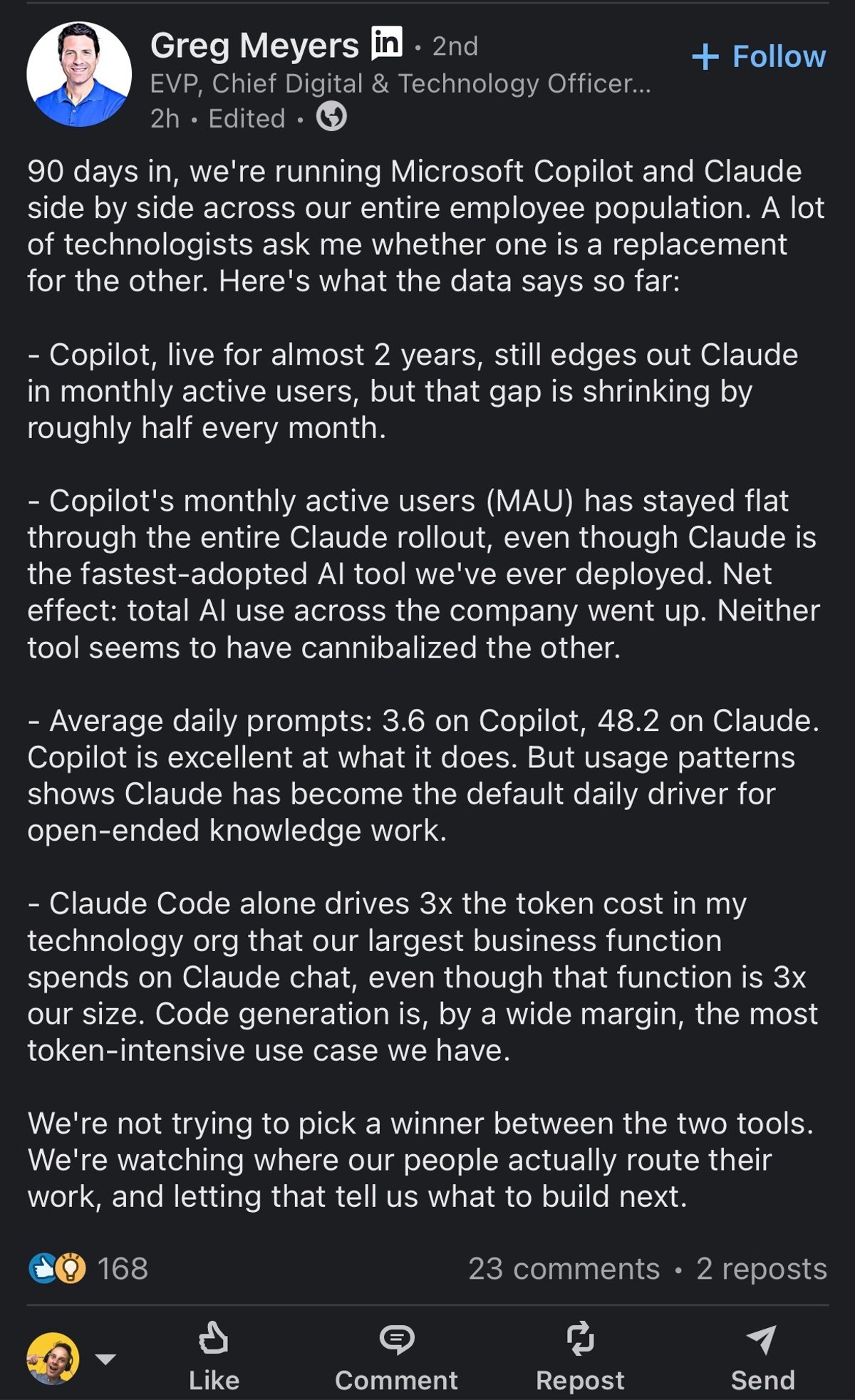
(See the post from the Chief Digital and Technology Officer at Bristol Myers Squibb at the end of this article - Claude Code drives 3x the token cost from his technology org over their largest business function that is 3x the size of his team.)
9. Move work out of the chat box
This is the item on the list that is the most challenging to get your head around, but I believe will also have the biggest impact over time.
Today you've given your human employees access to Claude - you give them the opportunity to use AI, to write their own prompts, use their own connectors and skills and to determine how they use Claude and what they get out of it.
As we have already seen this puts really important decisions about which model to use, what thinking level to use, and which skills and connectors to use, in the hands of individuals who might at best have had an hour's "Welcome to AI" training.
Start to think about how you can move this responsibility away from the individual and pass it to your AI Ops team.
Two approaches:
- Claude Tag - if you are Slack users, Claude exists as another member of the team in Slack, and your admins control (by channel) what prompts, models, skills and connectors Claude has access to.
- Managed Agents - similarly AI Ops define agents that can be accessed via email, chat, other applications, and govern the model choice, behaviours and costs centrally.
Challenge your own thinking that AI is a tool we give to our human colleagues and instead that it is a way of getting work done alongside or instead of humans.
10. Look at the demand as a positive signal
My final point is to take a positive view on what you are seeing - clients we work with have never seen demand for a technology like this.
AI is helping individuals, teams, and entire organisations to accelerate and take on far more challenging work than they would otherwise.
We see examples where individual employees are being given their own salary as a token budget - if it allows one person to do the work of 10, or to accelerate key business metrics far beyond what they could have done otherwise this is great news.
I'll leave you with this post I saw this week from an executive at Bristol Myers Squibb - a global pharma company - in which he talks about the adoption of Claude alongside their existing Copilot roll-out.
Copilot gets an average 3.6 daily prompts per user - Claude 48.2 - that is the people speaking about where they see value.
Go deeper
Check out Anthropic's Enterprise documentation for more on what I've covered.
Enjoyed this?
Weekly insights for executives navigating enterprise AI. A five-minute read.