Insights
How to get an AI connector approved: a security review pack
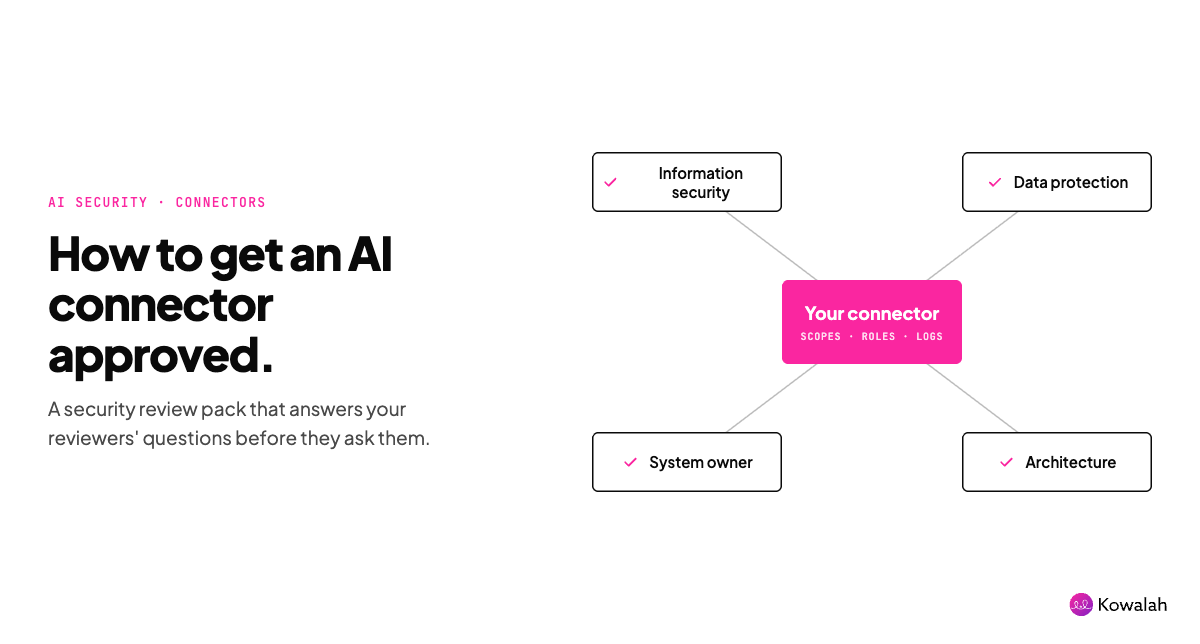
Your AI pilot is ready. The connector that makes it useful is stuck in security review. The fix isn't a better demo. It's a review pack that answers your security team's questions before they ask them: who signs off, where the data goes, which scopes you need, what gets logged and how you'll start read-only.
This guide is for the AI Ops lead or CIO at a UK organisation of 1,000 to 10,000 people who needs a Claude connector or ChatGPT plugin through security, data protection and architecture review. Copy the checklist at the end, or grab the Google Doc version to get started.
First, work out which review you're in
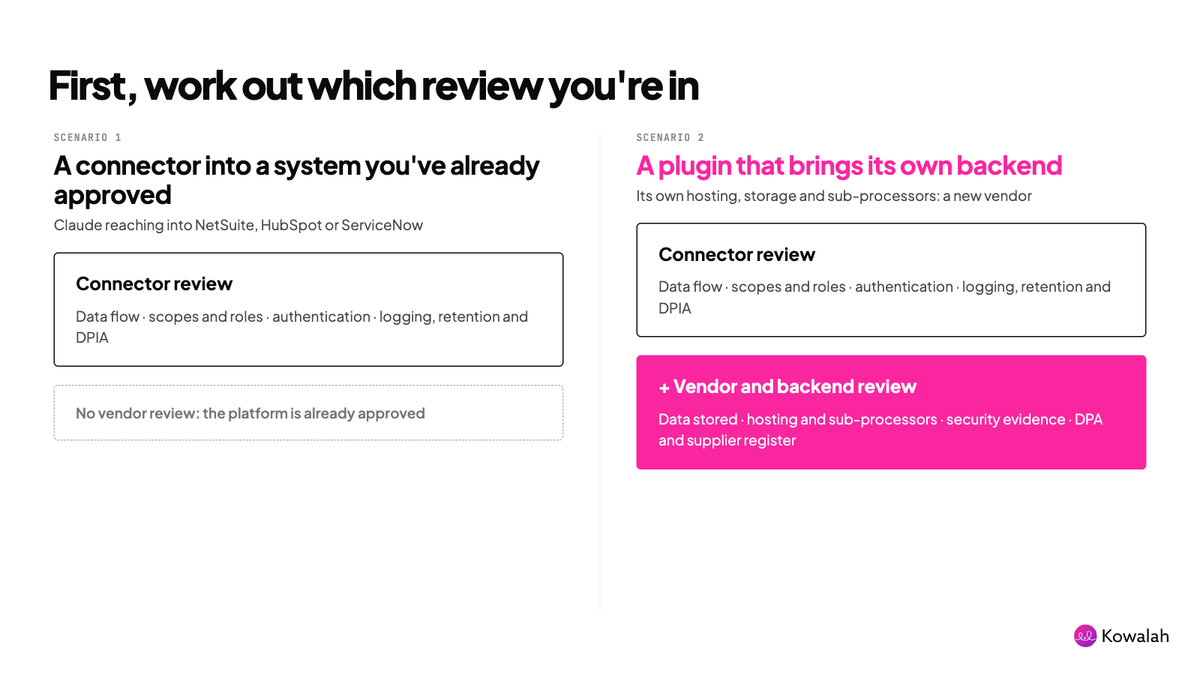
Not every connector asks the same question. There are two scenarios, and the pack is different for each.
1. A connector into a system you've already approved. Claude reaching into NetSuite, HubSpot or ServiceNow. The platform has already passed security review and holds your data under a contract you've signed. You're not approving the system again. You're approving the connector: which permissions and scopes it gets inside that system, which roles can use it, and what the AI assistant can read and write.
2. A plugin for a system you haven't approved. Some plugins bring their own backend. They store data, run on their own hosting and use their own sub-processors. Approving the plugin means approving a new vendor and a new application, not just a connector. It's shadow IT arriving through the plugin directory, and you'll see more of it as ChatGPT and Claude make plugins the default way to extend AI at work.
Kowalah's own plugin and platform sits in scenario 2, and it's one reason we wrote this. When we ask a client's security team to approve us, we're asking for a vendor review, not just a scope review. We'd rather explain that up front than have it discovered halfway through.
Scenario 1 needs the connector review. Scenario 2 needs the connector review plus a vendor and backend review.
Why this matters now
One client put it plainly: "the bottleneck is connector authorisation, not build time." We see the same thing across rollouts. Building a connector-backed workflow takes days. Getting it approved can take months.
The platforms are making connectors central:
- ChatGPT Enterprise now lets admins manage plugin access by role (8 October 2026). OpenAI plans to stop new custom GPT creation on 26 October 2026 and retire GPTs on 11 December 2026, with plugins as the migration path. OpenAI says the dates may change.
- Claude Team and Enterprise admins can authorise Plugins and MCP connectors for the whole organisation through their identity provider, choose which roles get each connector, narrow the scopes Claude can request, and pilot with one team first. Members can still connect individually where you allow it.
If your GPTs become plugins, every one that touches company data goes back through review. Plan for that queue now.
Who signs off
Name the approvers before you write anything. In most UK enterprises it's four people:
- Information security: authentication, scopes, logging, vendor risk.
- Data protection officer: lawful basis, DPIA, retention, international transfers.
- System owner: the person who owns the CRM, finance system or file store the connector reaches into.
- Enterprise architecture: whether this fits your integration patterns and identity model.
In scenario 2, add procurement or third-party risk, because you're onboarding a supplier. Get one named owner for the decision. Without one, each reviewer waits for the others.
The connector review (both scenarios)
Questions for your implementer
- Exactly which scopes does this workflow need, and why?
- Which records will it read, and which will it write?
- Which roles get the connector, and how is access revoked?
- What does the pilot look like, and what are the exit criteria?
- Who supports it after go-live?
Questions for the AI vendor
Anthropic or OpenAI, about the AI platform itself:
- Where is data processed, and which regions are available?
- Is customer data used for model training?
- What are the default retention periods, and can we change them?
- What audit events and compliance exports exist?
Most of these are answered in trust centres, data processing agreements and admin documentation. Collect the links rather than rewriting them.
Data flow
Draw it. One diagram showing user, AI platform, connector and source system, with arrows for what moves where. Mark personal data and special category data. Security teams approve diagrams faster than prose.
Scopes and roles
List every permission the connector requests and justify each one. Remove anything the workflow doesn't need. Both platforms now let you restrict scopes or actions centrally, so "it asks for everything" is no longer an acceptable answer. Remember the connector acts with the connected account's permissions inside the system of record, so check those too.
Authentication
With MCP connectors this is usually OAuth: individual sign-in, or centrally managed authorisation through your identity provider. Managed authorisation means joiners get access through their groups and leavers lose it when they're deprovisioned. Say which model you're using and why.
Logging, retention and DPIA
Say what is logged, where, and who reviews it, on the AI platform and in the source system. Tie every action to a named user. Document how long prompts and responses are kept. If the connector processes personal data at scale or in new ways, screen for a Data Protection Impact Assessment under UK GDPR and bring the DPO in early.
The vendor and backend review (scenario 2)
When the plugin brings its own backend, ask its provider:
- What data do you store, where, and for how long?
- Where is it hosted, and who are your sub-processors?
- How is our data separated from other customers' data?
- What security evidence can you share, and how current is it?
- Is our data used to train models, yours or anyone else's?
- What happens to our data when we leave?
- Who do we call when something goes wrong?
Then treat it as you would any new SaaS supplier: a data processing agreement, an international transfer mechanism if data leaves the UK, a DPIA that covers the vendor's processing, and a place on your supplier register. Don't let the plugin directory's install button skip a step your procurement process would never skip.
Pilot read-only before write-back
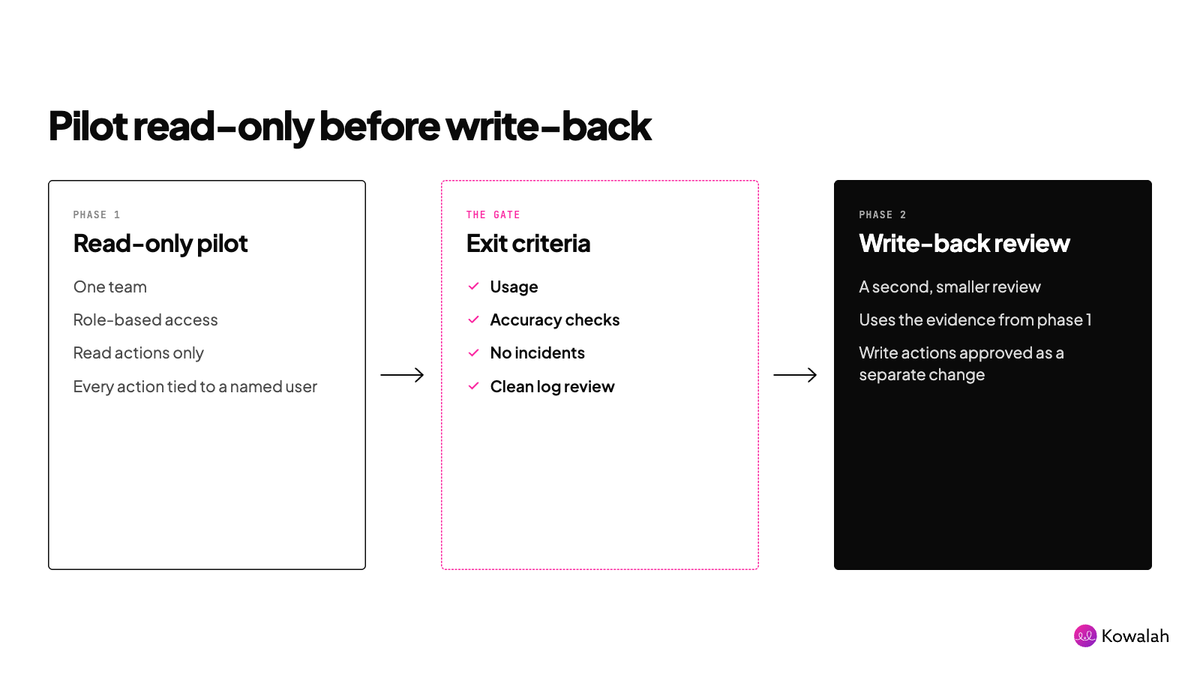
Start every connector read-only. Reading a HubSpot deal and drafting a summary is a different risk from updating that deal.
Run the pilot with one team, using role-based access to limit who gets the connector. Set exit criteria: usage, accuracy checks, no incidents, a clean log review. Then put write actions through a second, smaller review with the evidence from phase one. ChatGPT's app permissions and Claude's per-role scopes both support this staged approach.
A worked example
Harbourline Insurance (a fictional company) has 4,200 staff across Bristol and Leeds. Its AI Ops lead has two requests in the queue.
Request A, scenario 1. Claude reading the claims team's Atlassian workspace, which Harbourline approved years ago. She names the CISO's deputy as decision owner. The pack: a one-page data flow, a scope list cut from eleven permissions to four (all read-only), managed authorisation through Okta for the claims handler role only, an audit log plan and a DPIA screening that flags claimant data. Thirty handlers pilot for four weeks. Write-back (adding comments to tickets) goes to review later as a separate change.
Request B, scenario 2. A claims-analytics plugin from a start-up, with its own hosted backend. The same connector review applies, plus a vendor review: procurement adds the supplier, the DPO asks where claimant data is stored and for how long, and security asks for the sub-processor list and current evidence. It takes longer, and it should.
Both builds took days. Splitting the requests meant Request A wasn't held up by Request B's supplier checks.
The checklist
Connector review (every connector):
- Scenario identified: approved system, or new vendor.
- Named decision owner and reviewers.
- Use case in one sentence, with the business owner.
- Data flow diagram with personal data marked.
- Scope list, each justified, unused ones removed.
- Roles that get the connector, and the connected account's permissions.
- Authentication model: individual or managed via identity provider.
- Joiner, leaver and revocation process.
- Read and write actions listed separately.
- Audit logging: what, where, who reviews.
- AI platform retention, residency and training policy.
- DPIA screening.
- Read-only pilot: group, duration, exit criteria.
- Write-back review as a separate change.
Vendor and backend review (scenario 2, add these):
- Data stored by the plugin's backend, where and for how long.
- Hosting and sub-processors.
- Customer data separation.
- Current security evidence.
- Model training on your data.
- Exit and deletion terms.
- DPA, transfer mechanism and supplier register entry.
- Support and incident contacts.
Want this as a document you can fill in? Copy the free AI connector security review checklist.
Get our answers
We're a UK Anthropic Implementation Specialist, and our own plugin and platform go through exactly this review. If you'd like our security answers to start your pack, ask us.
Enjoyed this?
Weekly insights for executives navigating enterprise AI. A five-minute read.