Insights
How to design an MCP-first product
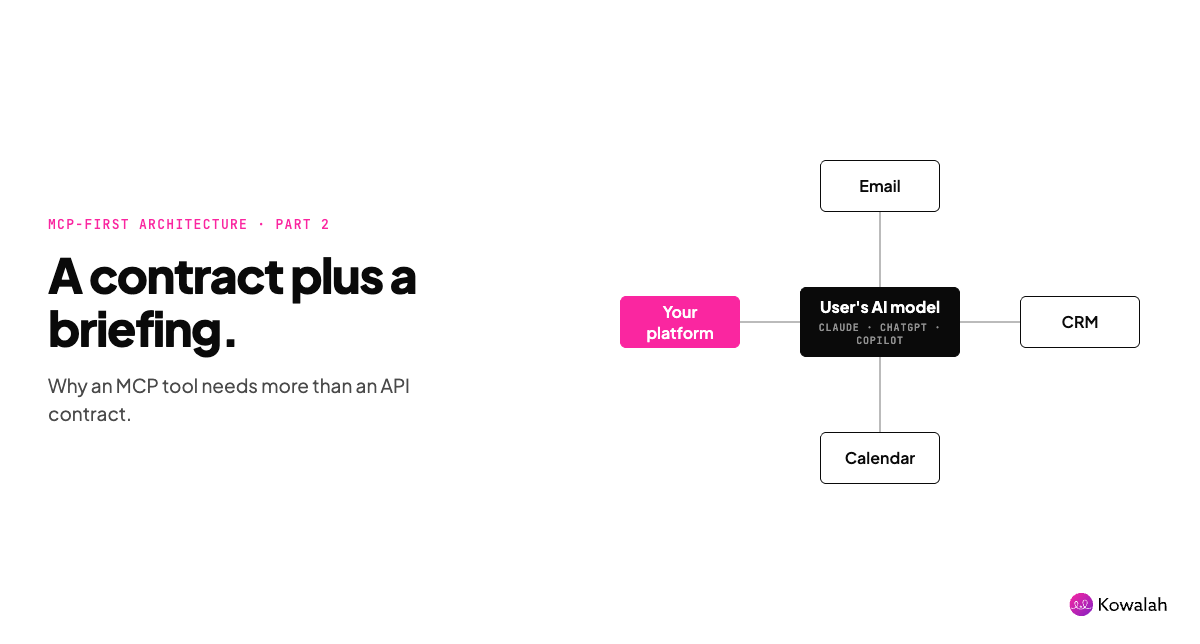
In this article I'll walk you through our lessons learned in building an MCP-first product.
This is the second article in a series of three:
- Why would you do MCP-first?
- How do you design MCP-first? - this article
- How do you operationalise MCP-first
In the first article we looked at what an MCP-first product is - read the article for the full detail but in three bullet points:
- An MCP-first product assumes the user's primary entry point will be their own AI tool or agent - Claude, ChatGPT, Grok Bot, Muse etc.
- An MCP-first product moves the cost of inference from you to your user
- An MCP-first product can solve the cold start problem to launch new products
In this article we'll look at how you should design your MCP-first product
Consider your user's Jobs-to-be-Done
Jobs-to-be-done (JTBD) is a popular framework in product management - in short, you put yourself in your customer's shoes and determine what jobs they will 'hire' your product for - functional jobs (what it does for them), emotional jobs (how it makes them feel), and social jobs (how it makes other people feel).
JTBD becomes even more important in MCP-first, because we are having real empathy with our user's and imagining them sitting in front of their chosen interface - which is increasingly their ChatGPT, their Claude, their personal agent.
Their starting point is not "ooh let me go and visit this SaaS page and log in with my Two Factor Authentication, and get this token off my phone, and copy that in....."
They just want to get the job done in a central tool or agent.
In the first post I discussed seeing your product as a spoke not a hub - and if you can accept that, you will have a better chance of determining the jobs that your product has to do in an MCP-first world (beautiful UI and stunning animations is not one of them)
Map your user's intent
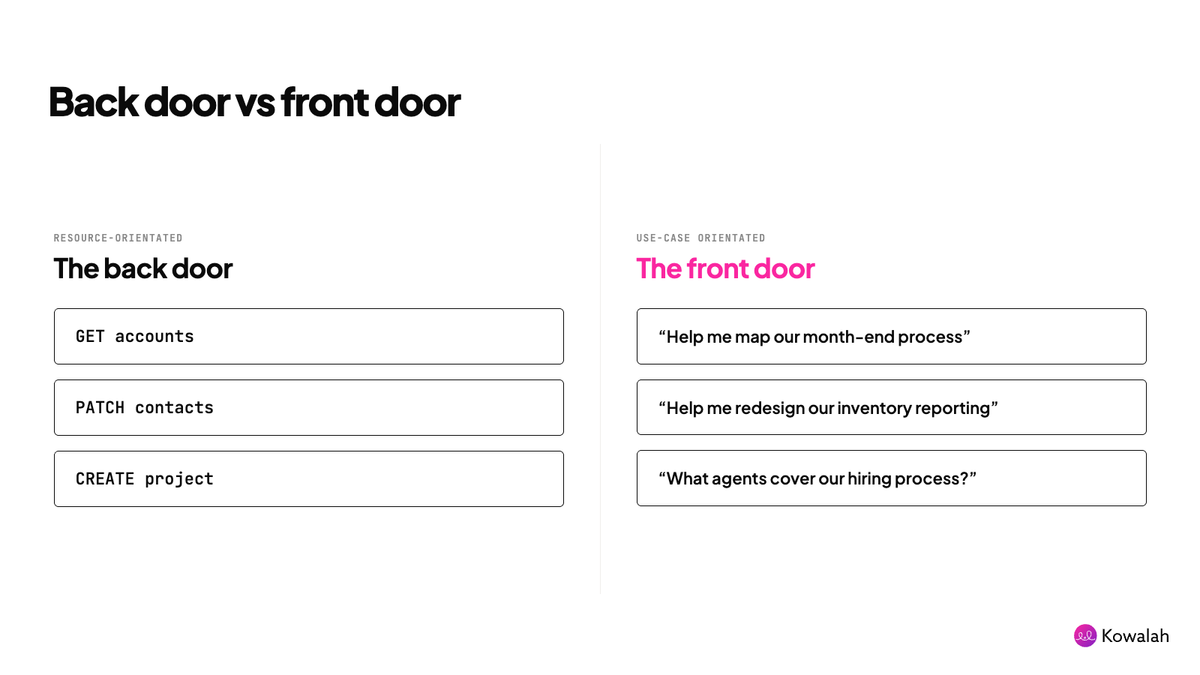
There are two ways you can design an MCP server - from the back door or from the front door.
From the back door means looking at your platform, your schema, and deciding to expose what you have in a very literal way - GET accounts, PATCH contacts, CREATE project.
You may already have an API-ready product and have a developer page that lists your API in exactly this way - resource orientated.
This is not how your user will think when they are in their AI tool. No user is saying "Hey ChatGPT can you use the Kowalah connector to GET accounts?"
Instead, they are thinking about their jobs to be done - and these jobs will cross over not just your product, but the AI model itself, and the other connectors they have attached.
In Kowalah's example the intent for a user is:
- Can you help me map out our month end process?
- Can you help me redesign our inventory reporting process
- What agents do we have covering the hiring process?
To work on these tasks the AI needs access to a wide range of tables within the Kowalah platform, along with access to Sharepoint, Google Drive, an HR platform, Monday, Lucid Charts - depending on what a customer uses and has connected to their AI tool.
In agile development you'd think of these as user stories,
"as a X I want to do Y so that I can Z"
In an MCP-first world you have the freedom to think beyond your own product and interface and think about what the user is actually trying to achieve in their own choice of tool - use case orientated.
Understand that MCP is more than a connector
MCP stands for Model Context Protocol - not Model Connector Protocol. The word Context is important here.
The MCP standard is still evolving - but today an MCP server can deliver three things to a model.
- Tools:giving the model the ability to "do" things in one or more other systems - Read, Write etc
- Resources:giving the model direct access to files or documents from other systems (ie when you add a Google Drive link it shows the document in your AI tool)
- Prompts:pre-written prompts that guide the AI in how to use the MCP for common use cases (ie "help me understand my pipeline by searching for opportunities with a close date in the next 30 days")
Note: there is a draft proposal to deliver skills over MCP which will be a popular addition - it is in review currently
I'm going to focus in on tools here as they are the most impactful to how you design your MCP server.
What makes a tool different to an API call is that where an API is a contract "get me this, create that", an MCP tool is a contractplusa briefing on how to use it - via tool descriptions.
Our experience is that there is a huge amount of value in well articulated tool descriptions that guide the user's AI model.
A single tool can wrap multiple calls into multiple APIs across multiple systems - all covered with a tool description that tells the AI models when to use this tool, how to use this tool, and how to understand the responses you receive from it.
This allows you to turn a complex API with 100s of elements into a handful of tools that cover the user's intent we discussed earlier.
As an example "what's my forecast" for a sales person might include looking at opportunities the user owns, plus looking at call notes, plus looking at their manager's notes, plus upcoming meetings, plus suggesting the AI model looks at any connected email or calendar.
Our recommendation is to start small with four or five tools that cover the most impactful use cases, learn how to articulate that intent in a well designed tool - and then determine if you need more.
The Kowalah MCP currently has 14 tools including:
- kowalah_get_operating_model
- kowalah_get_process
- kowalah_propose_redesign
- kowalah_create_opportunity
Each which provides access into multiple tables and areas of the platform to support the user's intent.
Five more tips
The response is context
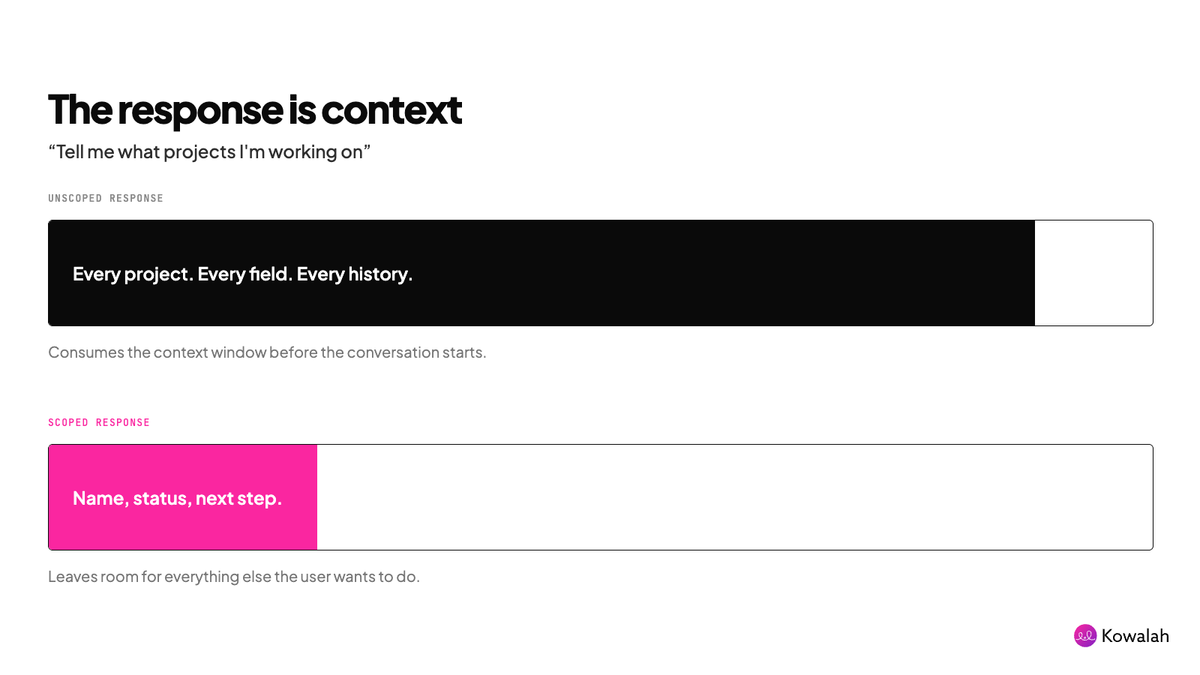
One gotcha to be aware of - the responses from your MCP server get loaded as context into the user's AI tool.
So if the user says "tell me what projects I'm working on" and your MCP server returns all of their projects, with all of their project's details and history - you are going to consume a large amount of their available context unnecessarily (which can slow or prevent their chat continuing).
Consider again the user's intent and how you chain or progressively disclose information via your MCP server.
Your schema needs to be narratable
Your user's AI model needs to be able to navigate around and understand your schema - via the MCP server. So ensure that your tools and the API behind them have sensible human readable names.
Tools with xyz_123 as a tool name, or schemas with field like field_1, field_2 are going to be impossible for an AI tool to navigate.
Opt for field names that say what they do - current_disposition, future_process_step are examples from Kowalah.
Errors should teach the model not reject
Expect the situation where the user's AI model tries to do something with your MCP server that the user doesn't have permission to do, or doesn't exist in the form it thinks it does.
Design your MCP server with useful error messages that teach the model why it wasn't able to succeed and how it might consider asking for something different or letting the user know why it wasn't able to complete the task.
In the Kowalah platform depending on permission levels a user can either edit a company process if they are the process owner, or suggest an edit if they are not.
If a user who doesn't have the required permission requests to edit a process, the MCP server guides the AI model that they should instead use the kowalah_propose_process_change tool - and typically this all happens in the same exchange giving the user a positive experience.
Instead of "Computer says no", "Computer figured it out"
Confirmation loops
There are a number of ways you can give your users the ability to give permission to take actions.
Within Claude for example an MCP server can be set tool by tool to "Always allow", "Needs approval" or "Blocked",
Beyond this you can bake approvals into your MCP tools - especially for potentially destructive capabilities.
We suggest a confirmation loop that explains to the user what is about to happen and gets their confirmation:
"OK, I'm about to close this project off as complete with a close date of 22nd September - OK for me to go ahead?"
Wrap your MCP with skills in a plugin
If your MCP server is the connector into your platform, skills are the guidebook for your users on how to do the job your platform enables.
For example - you may have an MCP-first HR platform. The skills you provide could guide hiring managers through planning for, conducting and feeding back after an interview.
In Kowalah's scenario we have a Kowalah Plugin t hat wraps the MCP server with seven skills that help our clients map their current processes, store them in the Kowalah platform, and uncover future AI use cases across their organisation.
The skills solve the cold start problem when a new client has nothing in the Kowalah platform to connect to.
Today skills are a separate concept to MCP servers, but as mentioned earlier there is a draft proposal to deliver skills over MCP.
Up next: Operating your MCP-first product
In this article we've looked at how to design your MCP-first product
- Map your user's jobs-to-be-done and their intent
- Design tools that match their intent
- Use tool descriptions to teach the model how to use your platform
In the next article I'll look at how to operate an MCP-first product and some of our lessons learned.
As background I'm Charlie, the CEO of Kowalah, we build agents and AI-native workflows for Enterprises.
If you're considering building AI products for you internal teams or customers, our Kowalahs would love to learn more about your current processes - or you can start MCP-first at kowalah.com
Enjoyed this?
Weekly insights for executives navigating enterprise AI. A five-minute read.