Insights
How to run an AI session at your 2027 company offsite: 10 things that work
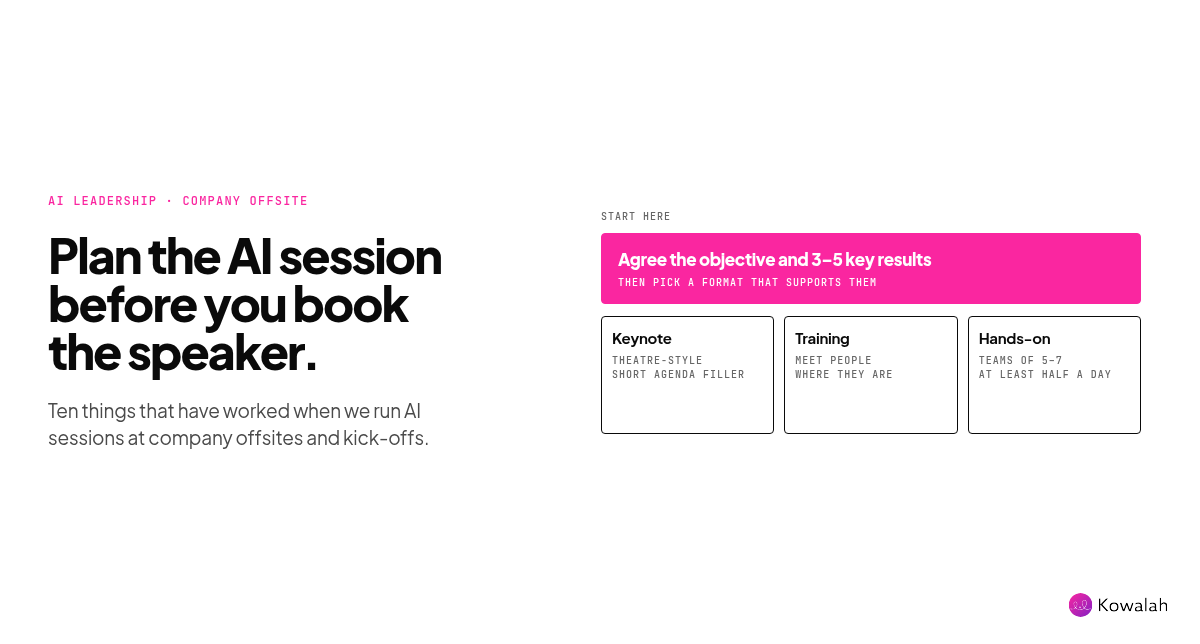
If you are planning a company offsite or kick-off meeting to launch 2027, and plan to include an AI session or workshop, here are 10 things that have worked for us, having run them on behalf of clients.
What's your objective?
The catalyst for these sessions is someone at the company saying "We need to focus on AI next year. Let's include a session on that in the company kick-off."
Before you run off to book speakers and plan sessions, you want to dig into what that actually means and what you want this day to deliver.
We see a range of answers:
- We (leadership) want the team to know we are taking this seriously
- We want to give our team ideas on how to incorporate AI into their work
- We want to bring everyone to a consistent level
- We want our team to know what the latest AI tools are capable of
- We want our team to share their ideas with others
- We want to figure out how to get some ROI from our AI investments
And the list goes on.
We are OKR followers at Kowalah (Objectives and Key Results), but whichever strategic or goal-setting framework you follow, you need to agree:
- An objective: the aspirational yet achievable goal you are aiming for with AI
- 3-5 key results: the measurable numbers that will let you know you've got there.
Your company offsite can then be designed to support one or more of those key results.
Keynote, training or hands-on?
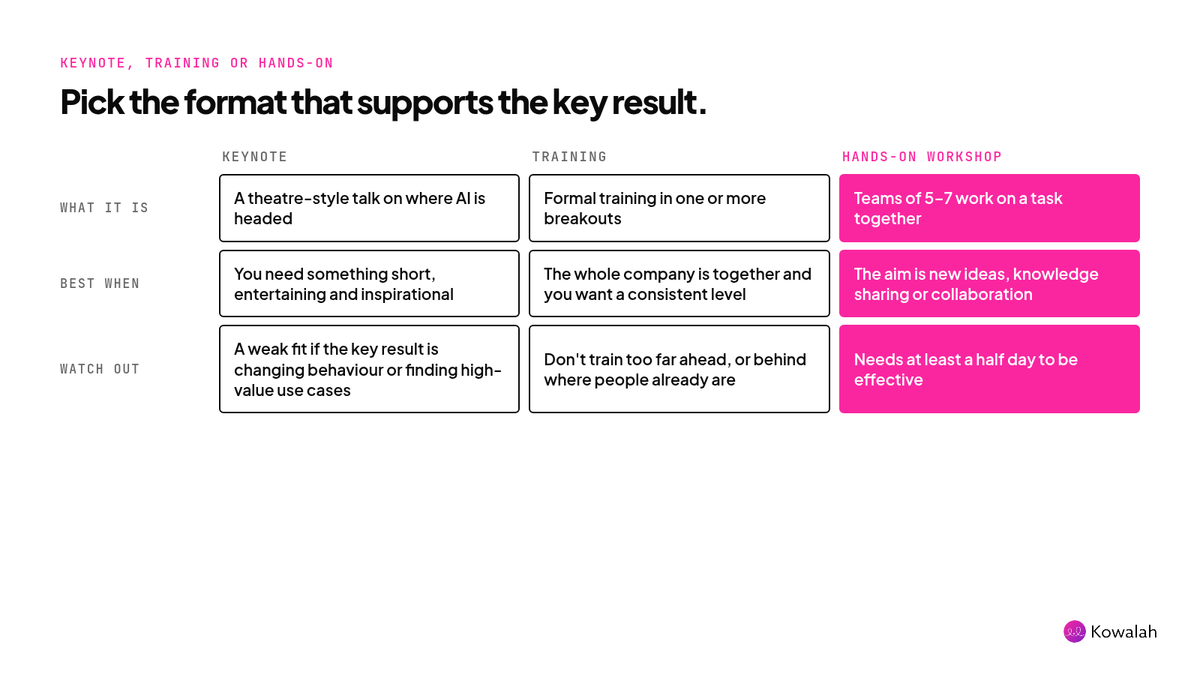
You have three approaches you can take:
Keynote
A theatre-style presentation from someone within or external to the company to present what is happening in the world of AI and where things are headed.
These can be entertaining, fact-filled, inspirational and relatively short if you are constrained on time.
They are a good agenda filler, but keep an eye on your OKRs, and if changing behaviour, or coming up with high-value use cases is the Key Result, this might not be the right fit.
Training
In a world of hybrid work, the annual offsite is one of the few occasions the entire company comes together and can be a good opportunity to deliver some formal training.
This can work in one of two ways depending on size of your company, the structure of the offsite agenda, and the logistics at the venue.
An AI-specific breakout: either for the whole company, or tracks (where in the afternoon tracks alternate between different sessions, some AI, some for other topics you are covering). In this scenario the same AI session runs 2/3 times back to back.
Multiple AI breakouts: individual AI tracks run in parallel covering different topics, AI for marketing, AI for sales, AI for developers as an example.
We ran a session like this for an AI company last January: Claude Code for developers, Lovable for Product Marketing and ChatGPT for everyone else.
The key for training to be impactful is to meet each individual where they are: don't train too far ahead (my mind is fried) or behind (I already know this).
Hands-on workshop
The third option is to run a hands-on session where your employees come together to work on a task in teams of 5-7 people.
Going back to your objectives for the session, you may have listed "new AI ideas", "knowledge sharing", "collaboration" and if so, this format ticks the box.
The hands-on workshop style ensures everyone gets to use the tools and watch an idea come to life in front of them.
For companies where AI is very much single-player mode, these sessions are high value in showing individuals that AI is way more than a powerful FAQ machine.
These workshops are longer than the keynote or training option, requiring at least a half day to be effective.
Work-related or not?
There are two approaches you can take to developing the scenarios your teams will work on:
Work-related scenarios: each team works on a real-world task, ideally linked to your company strategy or goals that have just been launched at the offsite.
Non-work-related scenarios: "Apprentice" style challenges that are either loosely linked or not linked at all to your company's real business.
For example, we recently ran a hands-on session for a food safety company and the attendees "launched" food festivals and food-related products.
The choice goes back to your objective and your company's culture. We recommend multiple scenarios with multiple teams working on each scenario. This keeps it interesting for the teams and when it comes to the show-and-tell later.
Advantages of work-related: you get real-world output during the day that can immediately be fed into your AI roadmap, but you lose some creativity as teams get bogged down in why things work the way they do today.
Advantages of non-work-related: you can mix teams up more easily, and teams don't feel constrained by the need to 'work', but you can have people that don't engage with the "fake work" they are doing.
You know your business best, so pick one, and pick early.
Give everyone an account (even just for the day)
If you are doing hands-on then you want to ensure everyone can be hands-on, even if they don't have an account today.
We've seen the biggest success where teams are collaborating around a single idea, and for this the concept of shared projects in Claude or ChatGPT work well.
If everyone at your offsite doesn't have an account, consider spinning up a temporary Team or Business account which runs on a monthly cycle you can cancel if you choose not to continue. (These are limited to 250 users each, so bear that in mind depending on the number of people at your offsite.)
Get your connectors approved
During the day your team will no doubt want their AI to be able to connect with the systems they use to do their day job (especially if they are working on real-world tasks), so make sure they have been approved and enabled ahead of the day.
Typical connectors that are requested:
- Productivity: Microsoft 365, or Google Drive, Docs, Sheets, Slides, etc
- CRM: HubSpot, Salesforce
- Call transcriptions: Granola, Gong
- Design: Canva, Figma
Group by experience, team or role?
Going back to your objectives, this is a great opportunity to mix your teams up and have people work alongside those they wouldn't normally get to: engineers next to sales, legal next to marketing.
You will see a transfer of perspectives, ideas and skills as the teams work together to solve their challenges, which will prove valuable as the day moves on.
We recommend leaders pick the team assignments ahead of the day so they can ensure this melting pot of experience is successful.
Embed training in micro-sessions
On the one hand AI is simple: "How hard can it be to ask Claude a few questions?" But the reality is there is a lot to learn and it can quickly get confusing:
- "What's the difference between a project and a skill?"
- "What's a skill versus a plugin?"
- "What's an artefact and when would I use that instead of a Google Doc or Word doc?"
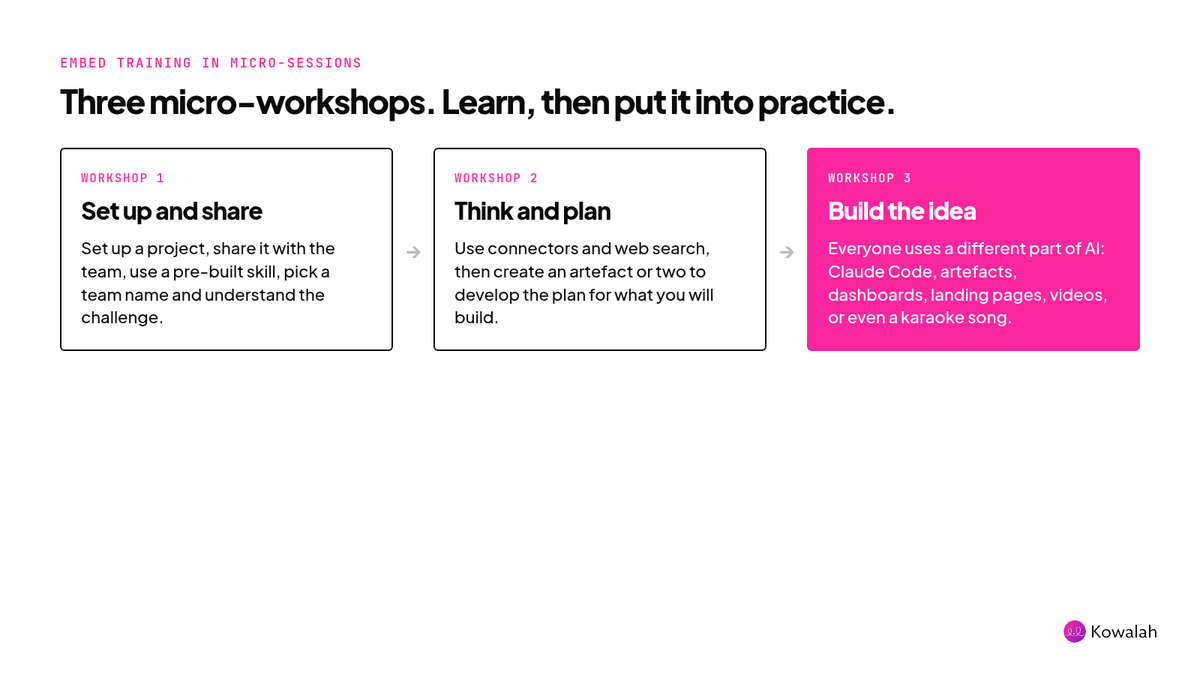
We recommend breaking the hands-on session into three "micro" workshops, each of which starts with a bit of learning, followed by the teams going back to their desks or rooms and putting that into practice.
These three work well:
- Workshop 1: Set up a project, share it amongst your team, use a pre-built skill, pick a team name and understand the challenge you have.
- Workshop 2: Use connectors and web search to think through your challenge, create an artefact or two to develop your plan for what you will create or build.
- Workshop 3: Build your idea, with everyone using different parts of AI: Claude Code, artefacts, dashboards, landing pages, videos. We even had a karaoke song at a recent event.
Reward for creativity
Depending on the culture of your business we recommend awarding spot prizes as you go.
A box full of sweet bags that can be lobbed across the room works well!
Look for anyone stepping out of their comfort zone: anyone taking on a challenge you wouldn't have expected them to.
Show and tell
At the end of the session you want each team to present their ideas back. This doesn't have to be a full demo, but five minutes to explain their problem or scenario, how their team approached it, what they each built.
There will be too many teams for this to be practical, so we recommend splitting so that all teams that were working on the same challenge present back to one leader who can then filter and pick a winner to present back to the whole company.
Consider using a call transcription tool like Granola to document every team's presentation, even if they don't make it to the "grand final", as there will be some great ideas that you'll want to capture.
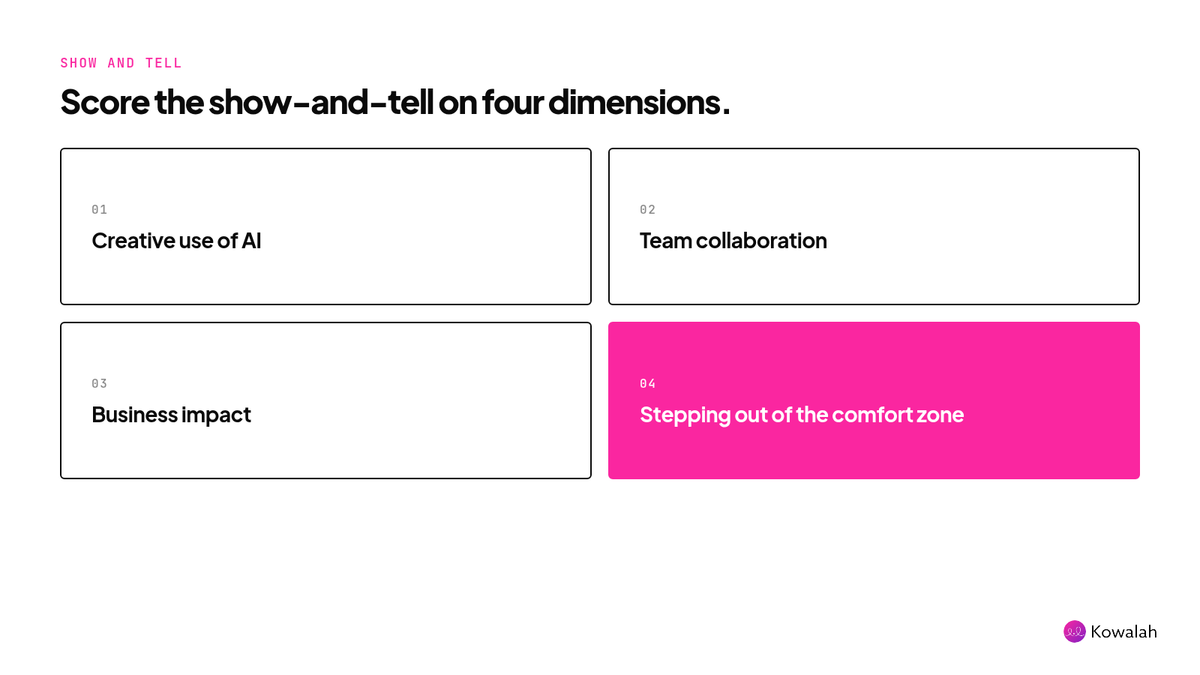
In terms of scoring, consider these dimensions for your rubric:
- Creative use of AI
- Team collaboration
- Business impact
- Stepping out of the comfort zone
Launch a use case discovery
As your day wraps, this is not the end, but the beginning, and you'll want a way of capitalising on what your team learned and the ideas they generated.
We call it a discovery, where everyone is asked to log ideas for how AI (and what they learned) could be used to impact their work, their team's work, or the overall company.
You could launch it via Kowalah so that your teams can respond within Claude/ChatGPT, but a simple Microsoft or Google form will be sufficient.
A discovery is launched and runs for 14 days with all of the ideas being logged and scored by leadership to decide what goes into the company's AI roadmap.
You might want to offer some more spot prizes or a $100 Amazon voucher to encourage some participation and recognise great ideas.
Get planning now!
So there are our top tips for running a successful AI session in your company offsite.
With the holidays coming up, now is the time to start planning, so that you have the most amount of time to think about the format, and the scenarios if you choose to go hands-on.
If you want any help organising, or delivering your AI session, get in touch. The Kowalah team love running these.
Enjoyed this?
Weekly insights for executives navigating enterprise AI. A five-minute read.