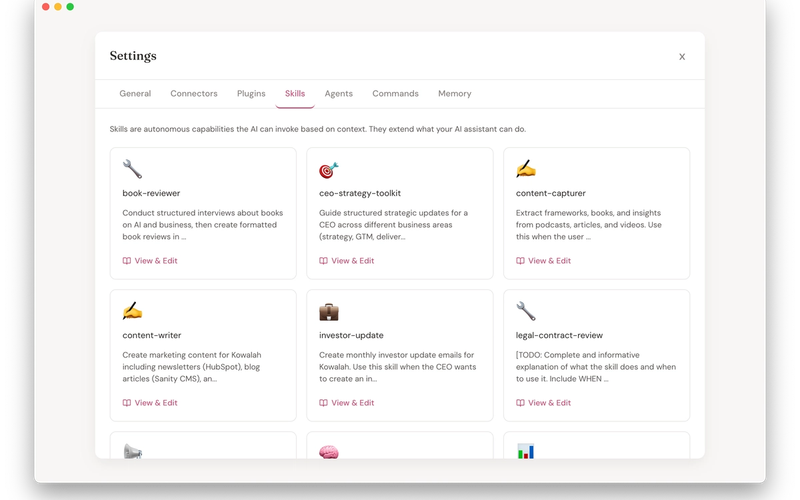
Claude Code is moving developers at a rapid rate. But if you're jumping between Claude Code, Gemini CLI, Cursor, and Codex without going deep on any one tool, you're missing the real power: customization for your specific workflow.
This isn't a "getting started" webinar. This is a deep dive into how to make Claude Code work for YOUR development process. Charlie walks through building the Kowalah platform and Kowalah Reserved, showing the actual skills, hooks, and sub-agents that accelerate his work - not generic examples from YouTube tutorials.
What you'll learn:
- How to build custom skills for recurring development tasks (testing, PRDs, documentation)
- Creating commands that trigger complex workflows instantly
- Using hooks to integrate Claude Code into your testing and GitHub Actions
- Configuring sub-agents and memory for handling multi-step tasks
- The planning mindset: spending 80-90% of your time in plan mode before letting Claude execute
You'll see real code, real workflows, and real examples from an active development project. This is what going deep on Claude Code actually looks like.
Who should attend:
Software engineers and developers who have dabbled with AI coding tools but haven't customized them for their specific workflow. If you're tired of jumping between tools and want to see how to make one work powerfully for your process, this session is for you.
What you'll leave with:
- Framework for customizing Claude Code to your development lifecycle
- Specific examples of skills, hooks, and sub-agents you can adapt
- Understanding of when to use each feature (skills vs commands vs hooks vs sub-agents)
- Planning approach that makes AI coding tools 10x more effective
- Confidence to stop tool-hopping and go deep on Claude Code