Insights
Claude Enterprise release review: what to check when features switch on by default
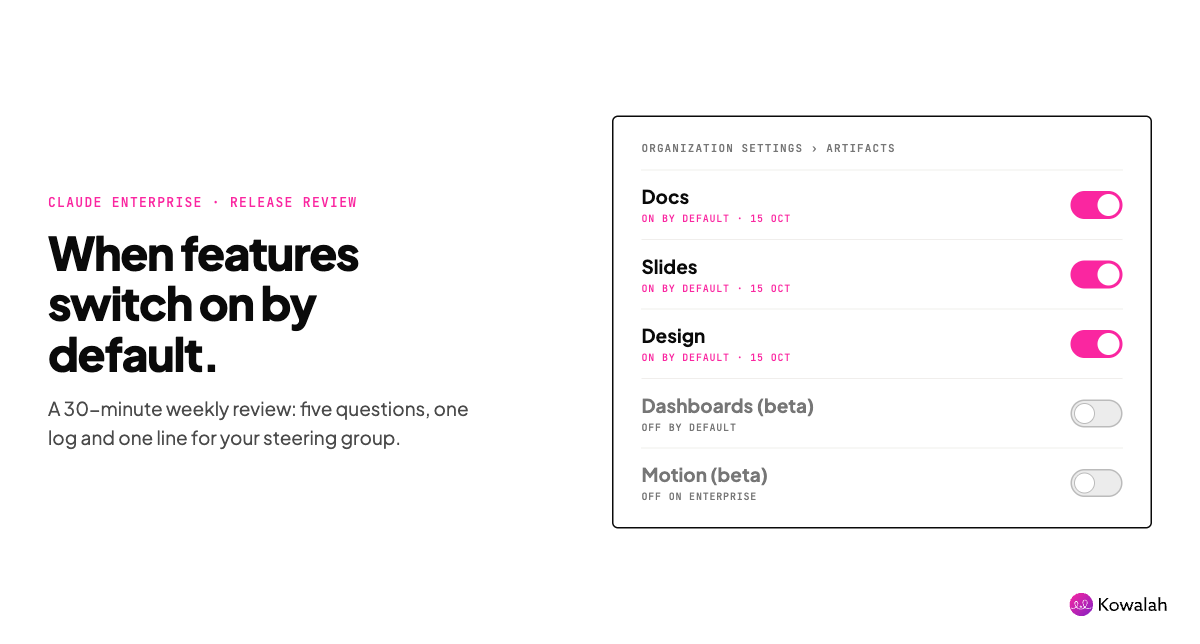
On 15 October, Claude Docs, Slides and Design switched on by default for Claude Enterprise organisations. If nobody in your team decided that, the release decided it for you. The fix is a 30-minute release review: five questions, one log and one line in your steering group update.
This guide is for the AI Ops lead or CIO running Claude Enterprise at a UK organisation of 1,000 to 10,000 people. It uses this week's change as the worked example. To run your own, copy the free Claude Enterprise release review checklist. It's ungated, with a Google Doc version.
Why this matters now
Claude ships fast. Anthropic's release notes list eight release dates between 1 September and 7 October 2026, from new models to smart reports and plugins. Then came Claude Dashboards and Claude Motion in beta, with Docs, Slides and Design out of beta.
Many releases are opt-in for Enterprise. Some aren't. According to Anthropic's artifacts admin guide:
- Docs, Slides and Design turn on by default for Enterprise on 15 October 2026. HIPAA-enabled organisations are the exception.
- Dashboards (beta) is off by default on Enterprise.
- Motion (beta) is on by default on Team plans and off on Enterprise.
A default-on feature reaches every user the day it lands. Your AI policy, approved tools list, training material and data protection screening were all written before it existed.
One data engineer put the support question bluntly on X: Claude Dashboards are "easy to set up quickly, but will be impossible to manage/maintain". That's one view, not a verdict. But it's the right question for anyone who has to support what people build.
Release reviews are part of Claude Enterprise adoption
Adoption isn't only licences and training. It's keeping what people can do in Claude in line with what you've approved, explained and can support. A short weekly review does that. It also stops the slow drift where your policy describes a product that no longer exists.
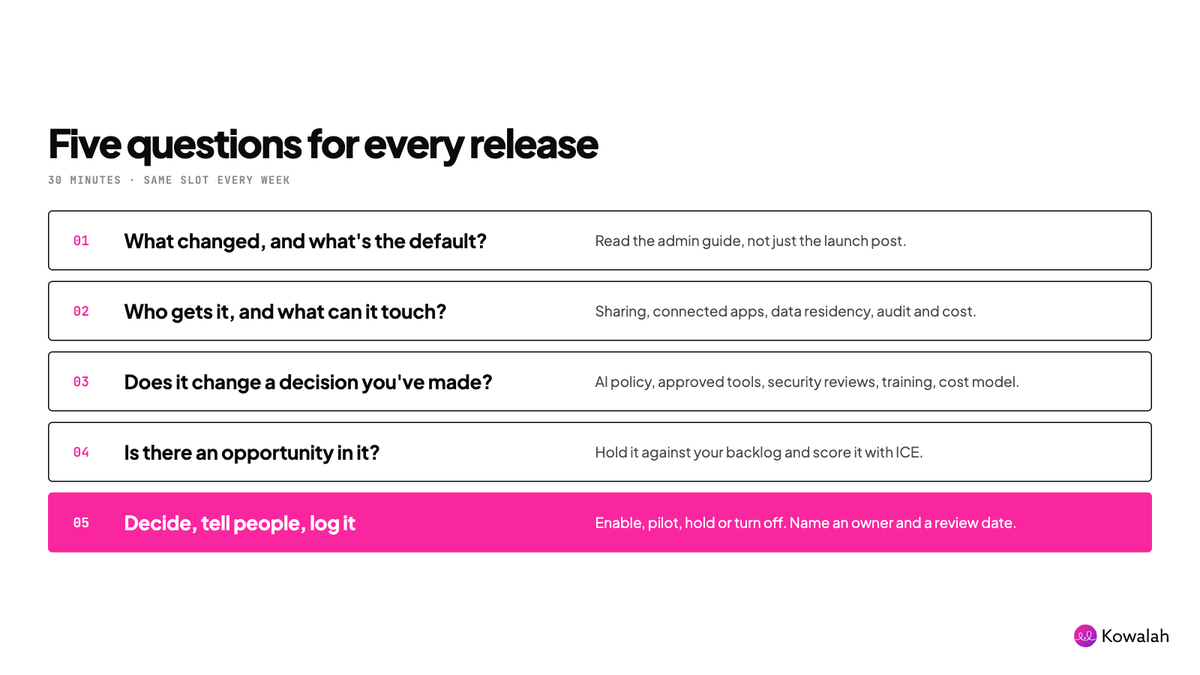
The five questions
1. What changed, and what's the default?
Read the release note and the admin guide, not just the launch post. The launch post sells. The admin guide tells you the defaults. Record the feature, whether it's beta or generally available, which plans get it, the default (on, off, or on from a date) and where the setting lives.
2. Who gets it, and what can it touch?
Ask what it can read, where its outputs go and who can see them. For this week's change, the admin guide answers most of it:
- Sharing. External sharing and email invitations outside your organisation are separate settings. Turning on one doesn't turn on the other. Docs can't be shared outside your organisation yet.
- Connected apps. Artifact connectors are one organisation-wide switch. Each user connects their own apps, and you can't limit which apps artifacts reach.
- Data residency. Claude Design doesn't currently support data residency requirements.
- Audit. The Compliance API records docs at the document level. Edits and comments inside a doc aren't recorded yet.
- Cost. Artifacts count against each user's existing usage limits. On usage-based Enterprise plans, they bill at standard API rates.
3. Does it change a decision you've already made?
Check the release against your AI policy, approved tools list, security reviews, training material and cost model. A feature that lets people share a deck outside the company touches your data rules, even if your policy never mentions decks. If a connector or a new data source is involved, put it through your connector security review first.
4. Is there an opportunity in it?
Every release is also a possible use case. Hold it up against your opportunity backlog. Does Dashboards fix the "we wait a week for that report" problem finance raised last month? Score it with ICE (impact, confidence and ease, each out of 10) like any other opportunity. Don't chase the release. Chase the outcome it might move.
5. Decide, tell people, log it
Pick one of four decisions: enable, pilot with a group, hold, or turn off. On Enterprise, custom roles let you switch each template on for specific groups, but the organisation-level setting has to be on first. Name an owner and a review date. Tell users what changed and what you decided. Add one line to your next steering group update.
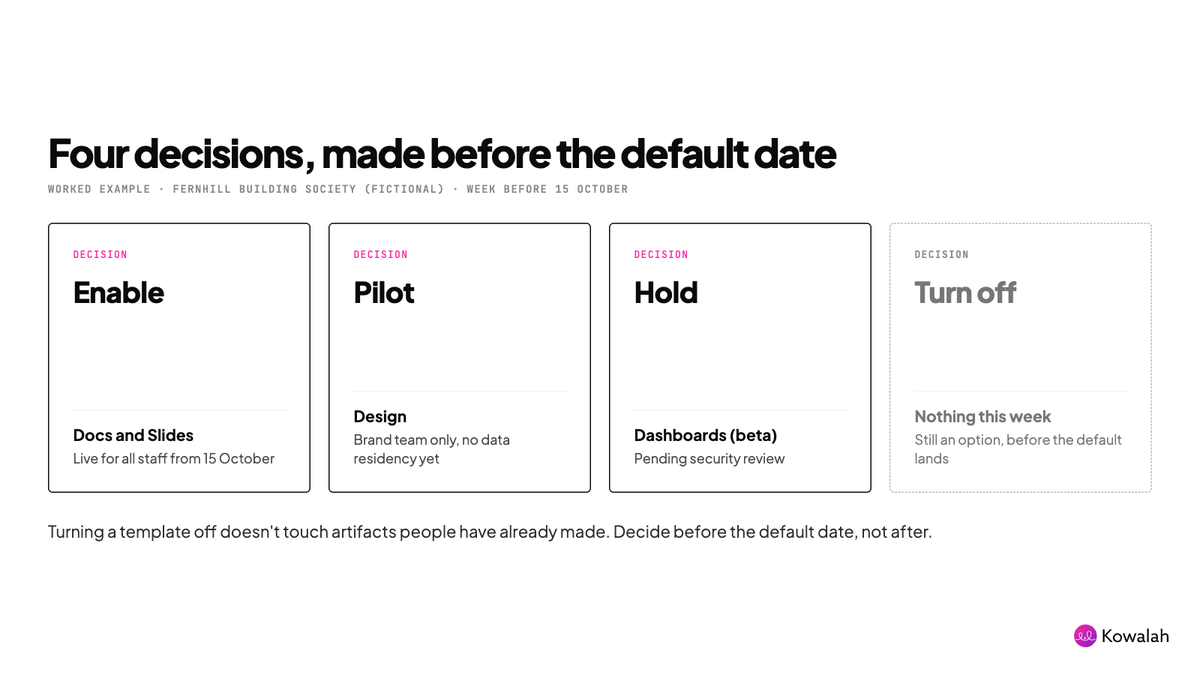
Timing matters. Turning a template off doesn't affect artifacts people have already made with it. So decide before the default date, not after.
A worked example
Fernhill Building Society (a fictional company) has 2,800 staff and runs Claude Enterprise. Its AI Ops lead blocks out 30 minutes every Thursday for releases. The week before 15 October, the review looked like this:
| Release | Default (Enterprise) | Decision | Why |
|---|---|---|---|
| Docs | On from 15 Oct | Enable | Can't be shared outside the society yet. A two-line note to staff, plus a training tip |
| Slides | On from 15 Oct | Enable, external sharing stays off | Owners can allow external sharing for a single artifact on request |
| Design | On from 15 Oct | Pilot with brand team only, via custom roles | No data residency support yet, so no member data. Brand work only |
| Dashboards (beta) | Off | Hold | Finance wants it, but it reaches the data warehouse. Security review first |
| Motion (beta) | Off | Note only | No current use case |
Two follow-ups came out of it. The brand team was told to migrate its design systems before standalone Claude Design closes on 14 December 2026. And finance's reporting request went into the opportunity backlog with an ICE score of 7 × 6 × 5 = 210, pending the security review.
The steering group update got one line: "Docs and Slides live for all staff from 15 October. Design piloting with the brand team (no data residency yet). Dashboards held pending security review. One new opportunity scored."
Thirty-five minutes. No surprises for the board, and a dated record of every decision.
What to put in the log
Keep one row per release. The columns that matter:
- Date reviewed and release name
- Status, plans and default
- Data, sharing and connector exposure
- Decisions it touches: policy, tools list, training, cost
- Decision: enable, pilot, hold or turn off
- Owner and review date
- Opportunity and ICE score, if any
- The line for your steering group update
The checklist template has this log ready to copy, plus the five questions as a one-page review.
Make it a habit, not a scramble
- Same slot every week. Fifteen minutes when nothing ships. Thirty when something does.
- Triage first. Act now on anything default-on that touches data or sharing. Pilot opt-in betas this month if there's a use case. Note the rest.
- Read the admin guide. That's where the defaults, exceptions and settings live.
- Share the log. It shows your security team and auditors that someone is in control. It also shows your sponsor what you did, which is the credit an AI Ops lead rarely gets.
If you keep your AI estate in Kowalah, recording your AI tools and assets there is free.
Common questions
Can we still turn Docs, Slides and Design off?
Yes. Owners can turn each template on or off in Organization settings > Artifacts, and on Enterprise they can limit it to specific groups with custom roles. Artifacts people have already made stay where they are.
Who can change these settings?
Owners and Primary Owners, or an Enterprise custom role with the right admin permissions.
How often should we run a release review?
Weekly, in a fixed slot. At the pace Claude has shipped since September, a monthly review lets default-on features reach every user before anyone has looked at them.
Get the checklist
Copy the free Claude Enterprise release review checklist. No forms, no gating. If you'd like a second pair of eyes on your Claude Enterprise settings, we're a UK Anthropic Implementation Specialist, and we're happy to talk it through.
Enjoyed this?
Weekly insights for executives navigating enterprise AI. A five-minute read.