Insights
Claude in Microsoft Copilot switches on 9 December: what UK admins should decide
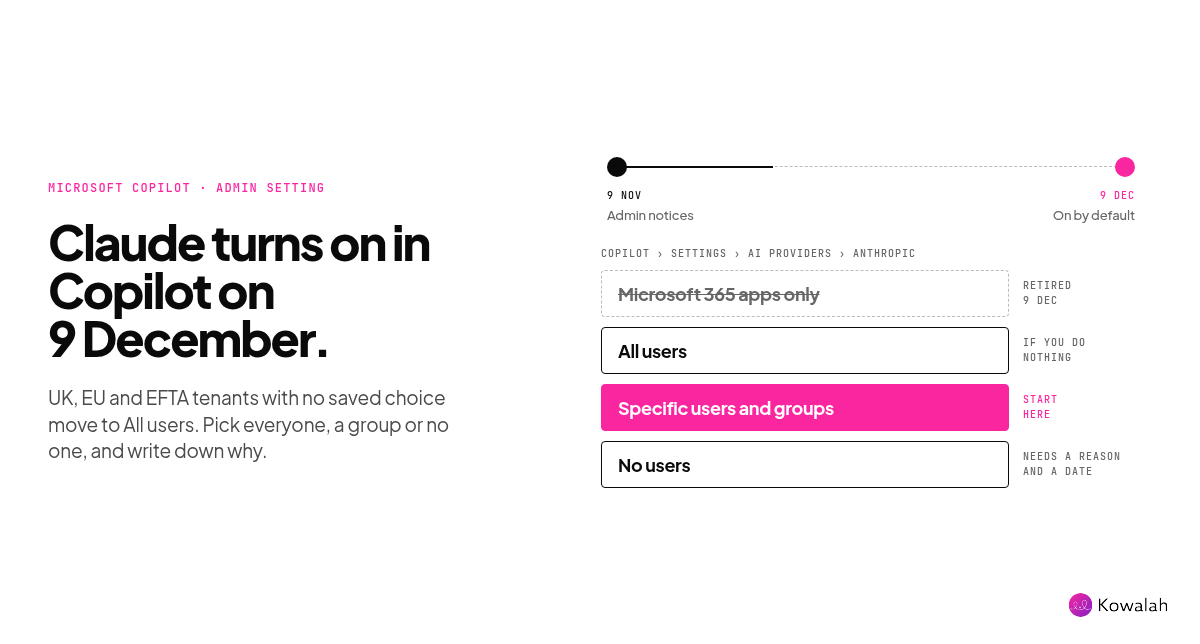
On 9 December 2026, Microsoft switches on Claude models in Microsoft Copilot for every UK, EU and EFTA tenant that hasn't saved a choice. One setting decides what happens to yours: AI providers operating as Microsoft subprocessors, then Anthropic, in the Microsoft 365 admin center. Choose All users, Specific users and groups, or No users, and write down why. If nobody has reviewed where Claude processes your data, start with a named group.
This briefing is for CIOs, Microsoft 365 admins and AI Ops leads at UK organisations of 1,000 to 10,000 people. The setting stays after 9 December, so the steps still apply when you review it later. To record your decision, copy the free Claude in Copilot Decision Record.
What Microsoft announced
Microsoft sent two Message Center notices on 9 November 2026, both titled "Action may be required: Claude models in…".
- UK (MC1546435). "Microsoft will make Claude models from Anthropic available by default for tenants in the United Kingdom (UK) on December 9, 2026, in line with other regions."
- EU and EFTA (MC1546438). The same switch-on on the same date. Claude processing also moves into the EU Data Boundary in early December, which Microsoft announced on 5 November.
Both notices retire the option that limited Claude to Copilot in Word, Excel and PowerPoint. Tenants on that option move to All users.
Until now, Claude has been off by default in these regions because Microsoft excluded it from the EU Data Boundary and in-country processing commitments. Across the rest of Microsoft's commercial cloud, it's already on.
What happens to your tenant on 9 December
Microsoft Learn sets out five starting points. Two of them change.
| Option saved before 9 December | Option from 9 December |
|---|---|
| No selection made | All users |
| All users for Microsoft 365 apps only | All users (the option is retired) |
| All users for all Copilot and generative AI experiences | All users |
| Specific users and groups for all Copilot and generative AI experiences | Specific users and groups |
| No users | No users |
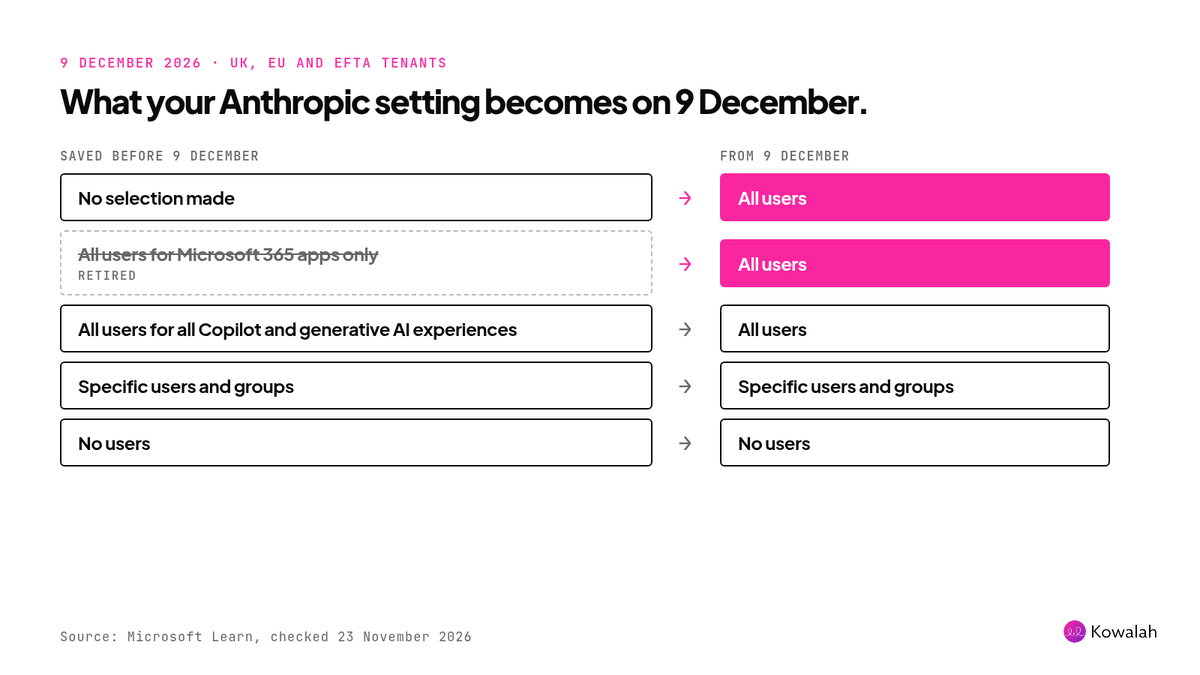
Two traps catch tenants that think they've already decided.
- Newer tenants. EU, EFTA and UK tenants created after 25 March 2026 had the Microsoft 365 apps only option on by default. Nobody chose it, and it becomes All users.
- A No users nobody saved. Microsoft says the setting appears in these regions with a default of No users. Its change table treats "no selection made" as a separate case that moves to All users, and it doesn't say how to tell the two apart. If nobody on your team saved No users, save your choice yourself.
Where Claude runs, and where your data goes
Anthropic works as a Microsoft subprocessor. Microsoft says the Product Terms and Data Protection Addendum apply, Claude in Copilot is covered by its enterprise data protection, and customer data isn't used to train foundation models.
Location is the question your data protection officer will ask.
- EU and EFTA tenants. Processing moves into the EU Data Boundary in early December, before the switch-on.
- UK tenants. The UK notice says: "Tenants in the UK aren't in scope for the EU Data Boundary." It points to the Microsoft Online Services Subprocessors List for processing locations. Microsoft's EU Data Boundary documentation says that when customers allow Claude, "Customer Data is processed by Anthropic in the United States." Check the current list before you sign off, and plan on US processing for UK users.
Claude reaches further than chat. It appears in Microsoft Copilot on web, desktop and mobile (with a marker when Claude is in use), in Researcher, in Edit with Copilot in the Office apps, in Copilot Cowork, and in Copilot Studio, where agent creators pick the model. Copilot Studio and Power Platform also have their own control in the Power Platform admin center.
One setting sits outside this change. Anthropic models with Data Retention stay off by default, run under Anthropic's own terms rather than Microsoft's, and Microsoft says Anthropic stores most inputs and outputs for up to 30 days. Leave that alone unless legal has reviewed those terms.
How to check and set it
- Use the right role. You need AI Administrator or Global Administrator.
- Open the setting. In the Microsoft 365 admin center, go to Copilot, Settings, View all, then AI providers operating as Microsoft subprocessors, then Anthropic.
- Choose and save. Pick All users, Specific users and groups (an Entra ID security group works), or No users, then select Save.
- Check Copilot Studio. If your teams build agents, review the matching setting in the Power Platform admin center.
- Tell people. Microsoft recommends telling your helpdesk and compliance teams. File the notice: MC1546435 for the UK, MC1546438 for any EU or EFTA tenant.
You can change the setting at any time after 9 December.
Your three options
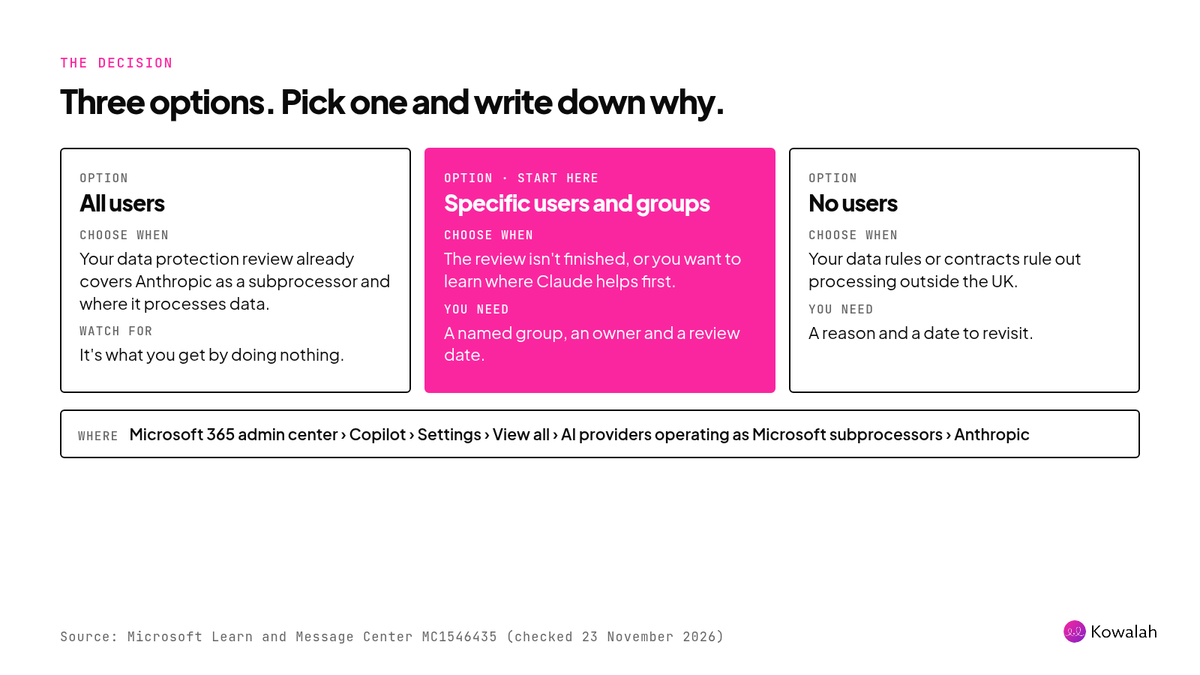
- All users. Right when your data protection review already covers Anthropic as a subprocessor, including where it processes data. It's also what you get by doing nothing.
- Specific users and groups. Right when that review isn't finished, or when you want to learn where Claude helps before everyone has it. Name the group, an owner and a review date. This is where we'd start.
- No users. Right when your data rules or contracts rule out processing outside the UK. Record the reason and a date to revisit. Microsoft warns: "Some features are only available when Claude models are enabled."
Off isn't free either. If people want Claude and can't reach it inside your tenant, the risk moves to personal accounts you can't see. Our guide to personal Claude vs Claude Enterprise covers that gap.
Five questions to settle this week
- Does our data protection impact assessment cover Anthropic as a Microsoft subprocessor, and US processing for UK users?
- Who owns the decision, and who signs it off: the CIO, the data protection officer, or both?
- If we limit access, which group goes first, and what work will they use it for?
- What will we check before we widen access, and on what date?
- Do we run separate tenants for EU or EFTA entities, where the EU Data Boundary now applies?
What this doesn't change
Claude in Copilot is Microsoft's product, under Microsoft's terms. It isn't Claude Enterprise, which you buy from Anthropic under Anthropic's terms, and it isn't Claude in Microsoft Foundry.
Foundry isn't a UK or EU residency route for Claude either. Microsoft lists Data Zone Standard for Claude as US only; elsewhere it runs on Global Standard. Anthropic is the data processor there, under its own terms.
For how the three fit together in a Microsoft estate, read our Claude vs Copilot guide.
Common questions
Will anything change if we do nothing?
Yes, if nobody saved a choice or you're on the Microsoft 365 apps only option. Claude turns on for all users on 9 December.
Can we turn it off later?
Yes. Microsoft says admins can disable Claude models or limit access at any time.
Will users know when Claude is answering?
In Microsoft Copilot, Microsoft shows an indicator when Claude models are in use. In Researcher and Edit with Copilot, users select Claude themselves.
Does the EU Data Boundary cover our UK tenant?
No. The UK notice says UK tenants aren't in scope. Microsoft's 5 November announcement named only the EU and EFTA.
Where Kowalah fits
We're a UK Anthropic Implementation Specialist. We help CIOs and AI Ops leads decide where Claude belongs in a Microsoft estate: in Copilot, in Claude Enterprise, or in agents built for one team on your own Claude. An AI health check maps what's running today and what to fix first. See how we work with Claude inside your Microsoft estate.
Talk it through first
Book a free 45-minute planning session. Bring your current setting and your data protection position, and we'll work through the choice with you. Or start with the free Claude in Copilot Decision Record.
Enjoyed this?
Weekly insights for executives navigating enterprise AI. A five-minute read.