Insights
Claude for sales teams: 10 questions sales leaders ask, answered
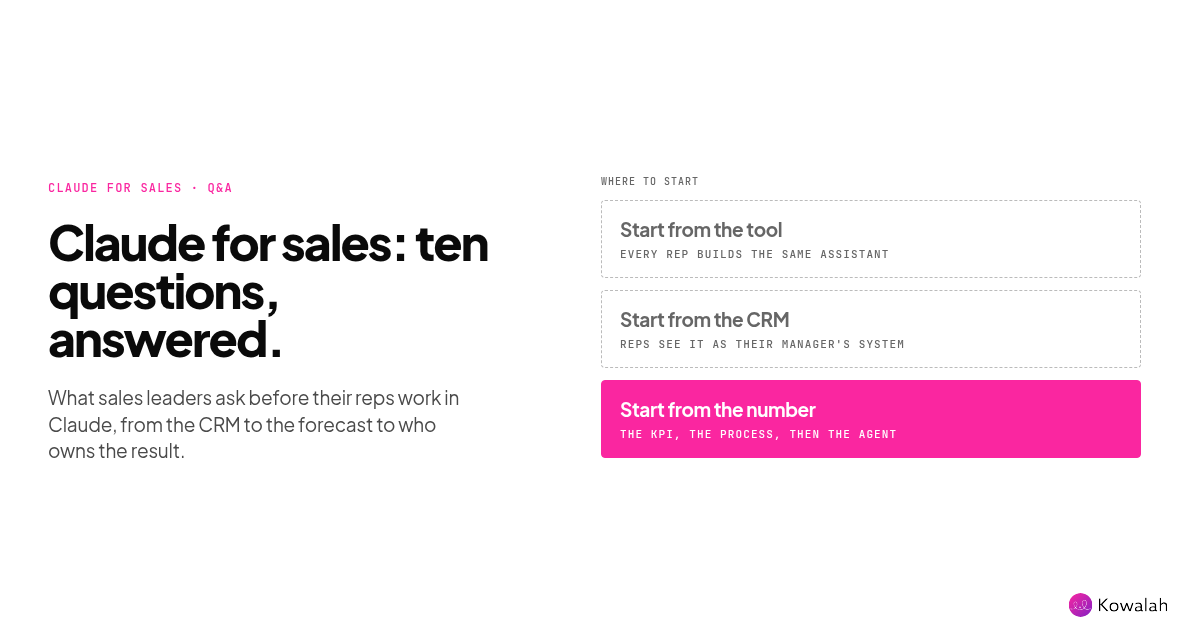
Claude for sales works when it starts from the number you're judged on, not from the tool. Start from the tool and every rep builds the same assistant while the forecast stays as shaky as it was.
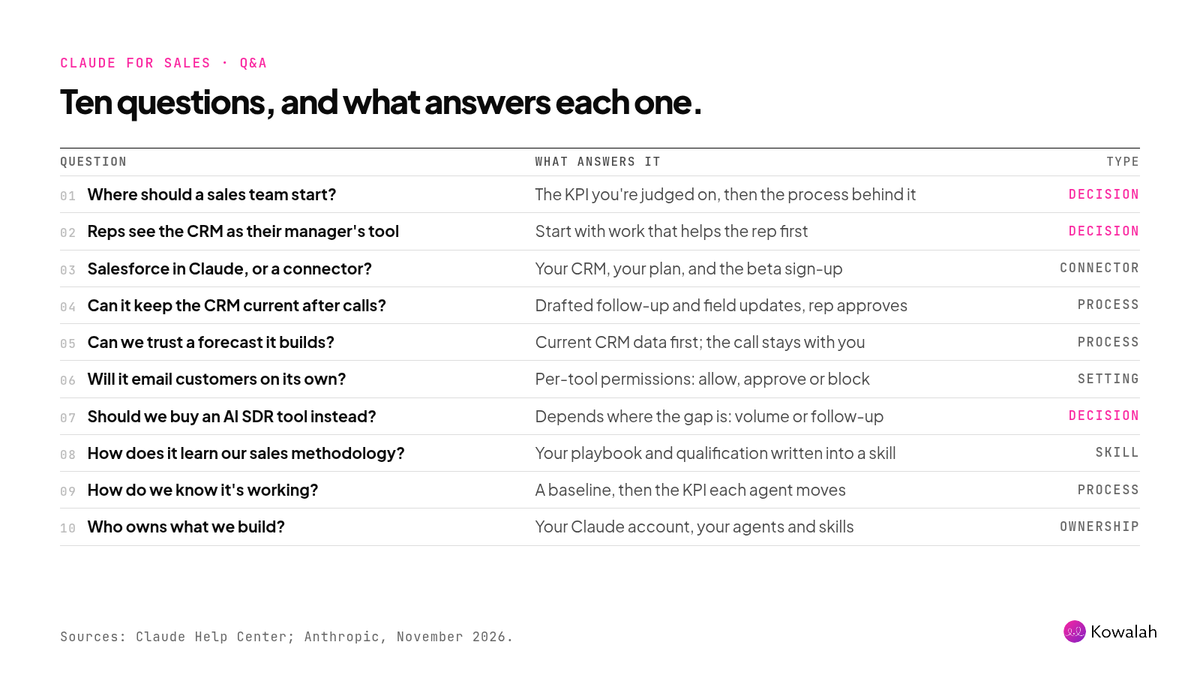
These are the ten questions sales leaders have put to us in recent calls and strategy sessions, anonymised and tidied, each with a direct answer.
The short version: pick the KPI, start with work that helps the rep, connect Claude to the CRM with approval on every change, write your methodology into a skill, and keep the judgement calls with your team.
1. Where should a sales team start with Claude?
Start from the number. Name the bookings target you're judged on, then the KPI beneath it that's furthest off: pipeline coverage, win rate, sales cycle length, forecast accuracy or rep ramp time.
Then find the process behind that KPI that fills your team's week. In Salesforce's latest State of Sales survey of 4,050 sales professionals, reps spent 60% of an average week on work other than selling, with creating quotes at 17% and manual data entry at 13%. That's where Claude goes first.
To size it for your team, ask three reps to log one normal week. Count call notes and CRM updates separately from research and quotes, then multiply by 52.
2. Our reps see the CRM as their manager's tool. Why would this be different?
It won't be, if you start with the manager's view. One sales leader put it to us plainly: in years of selling, the CRM never helped them close a deal. It was there for the manager.
So start with work that gives the rep something back the same day: the call prep before a meeting, the follow-up email after it, the account brief before a first call. The CRM update then comes as a by-product of work the rep wanted done anyway, rather than as another chore.
3. Do we need Salesforce in Claude, or will a connector do?
It depends on your CRM and your plan. Salesforce in Claude is a plugin built with Salesforce that bundles 37 sales skills with Salesforce and Slack connectors, for account research, call prep, pipeline review and CRM updates. It's in beta on all paid Claude plans, for organisations Salesforce approves through its beta sign-up, and works in chat and Claude Cowork.
HubSpot teams use the HubSpot connector. Either way, a connector works with the permissions of the person using it. If a rep can't see a record in the CRM, Claude can't see it for them either.
4. Can Claude keep the CRM up to date after every call?
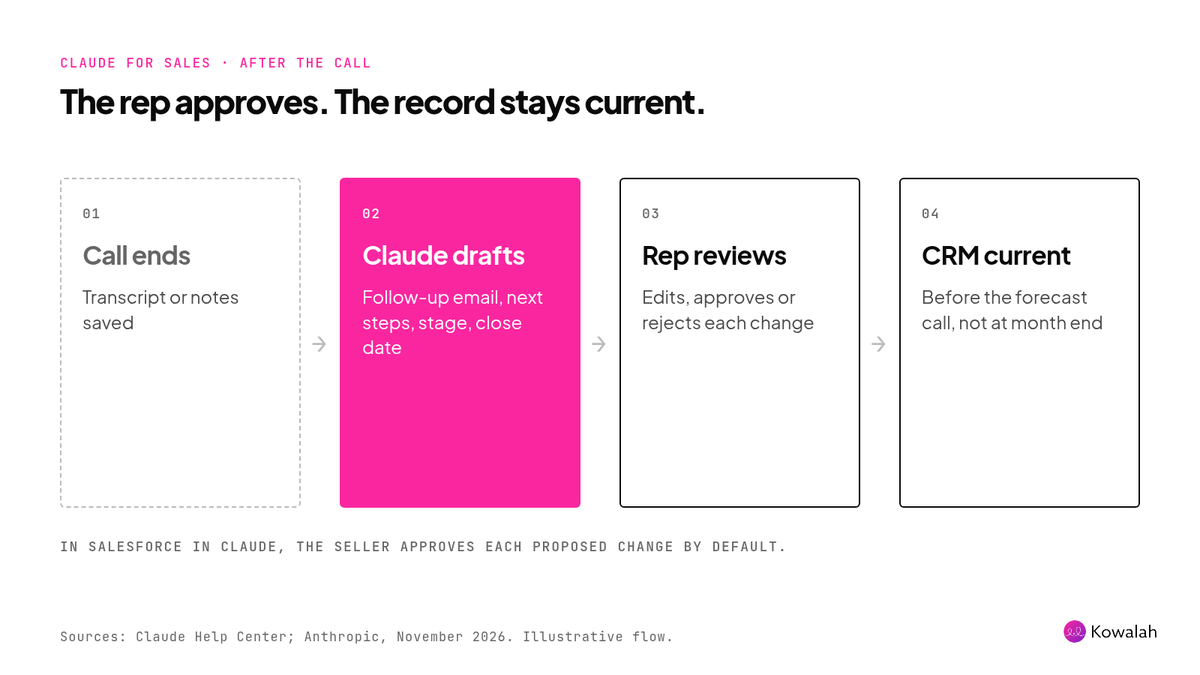
Yes, with the rep in the loop. Anthropic's sales plugin turns a Gong or Fireflies transcript into the follow-up email, the next steps and structured CRM fields such as use case, competition, decision process and risks. Salesforce in Claude drafts updates to next steps, stage and close date from a transcript or the seller's notes.
The rep reviews and approves. That's the trade: a few minutes checking a draft instead of an evening of data entry, and a record that's current the same day.
5. Can we trust a forecast Claude builds?
Only as far as you trust the data under it. A forecast sits on the CRM, so a stale close date or a missing next step skews it, whoever or whatever adds it up.
That's why question 4 comes first. Once the record is current after every call, Claude can do the inspection work a manager does before the forecast call. Anthropic's sales plugin flags stalled deals, stage-age outliers and missing next steps, and drafts best, likely and worst cases. The judgement on each deal, and the number you commit, stays with you.
6. Will it email customers or change deals on its own?
Only if you let it. On Team and Enterprise plans, an owner sets each connector tool to Always allow, Needs approval or Blocked for the whole organisation. The setting only narrows access. It never grants more than the source system allows.
Salesforce in Claude asks the seller to approve each proposed change before it's written, by default. A sensible start: let Claude read freely, require approval for every CRM change, and have reps send every customer email themselves until the drafts have earned their trust.
7. Should we buy an AI SDR tool instead?
It depends where the gap is. If you need more outbound volume, an AI SDR tool adds volume. If inbound leads wait hours for a reply, or booked meetings never get a proper follow-up, more volume won't fix it.
Start one step earlier: which accounts to go after, what to say, and what happens to the replies, so the volume turns into pipeline. We compared the options in AI SDR tool vs inbound agent vs hiring a BDR.
8. How does Claude learn our sales methodology?
Write it down once, as a skill: your stages and exit criteria, your qualification framework, your best discovery questions and what a good proposal looks like. Anthropic's sales plugin is configurable to your methodology, stages and templates, and Salesforce in Claude scores a deal against the team's methodology.
This is also where rep ramp time moves. A new rep gets coached on live deals by the same playbook your best reps use. If that playbook isn't written yet, start with our free AI sales playbook template.
9. How do we know it's working?
Measure before you build. Take the KPI from question 1 and record it before anything goes live: the share of calls with a follow-up sent the same day, the share of open deals with a current next step before the forecast call, or forecast accuracy against the quarter's outcome.
Time saved is a useful key result, but it isn't the headline. The headline is the KPI each agent was built to move. Record it every month after go-live, and judge the agent on that.
10. Who owns what we build?
You should. Build on your own Claude account and the agents, the skills and the record of what they did are yours. When the person who built them leaves, they stay.
That's the risk in handing it all to one new hire: the automations live in one person's head unless someone writes them down. We set out the trade-off in should you hire a GTM engineer?
What to do next
Pick one KPI, one process and one skill. You'll learn more from one agent measured on a real number than from ten clever prompts.
If you'd like a second pair of eyes, book a free 45-minute planning session. Bring your bookings target and leave with a one-page plan: the first three processes to change, the agents and skills for each, and how your team changes. Or see how we work with CROs and sales leaders.
Leading marketing as well? The companion piece is Claude for marketing teams: 10 questions, answered.
Enjoyed this?
Weekly insights for executives navigating enterprise AI. A five-minute read.