Insights
Claude Enterprise security review: 10 questions your security team will ask, answered
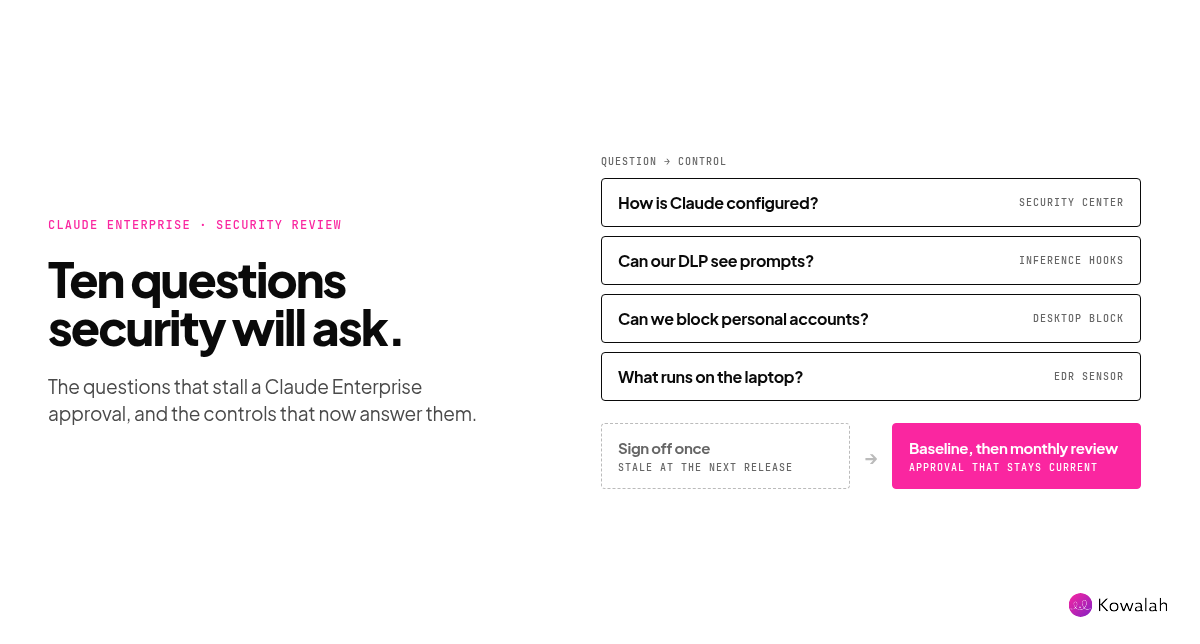
A Claude Enterprise security review usually turns on the same ten questions. Most have a clear answer, and Anthropic's 5 November security update closed several gaps that used to stall approval. Here are the questions security and IT teams ask us, anonymised from recent calls, with a straight answer to each.
This is for CIOs, CISOs and the AI Ops leads who carry the paperwork at UK organisations of 1,000 to 10,000 staff, where Claude is bought or being piloted and security still has to say yes.
Why the review keeps stalling
Security teams aren't against Claude. They're being asked to approve something that changes every few weeks, with connectors, plugins and agents arriving faster than a point-in-time review can cover. One IT lead put it to us plainly: "What does it even mean to approve a connector?"
Meanwhile the business waits. And when the approved tool is locked down to "just a chat", people drift to personal accounts, which is the outcome security wanted to avoid. Clear answers to the questions below shorten that wait.
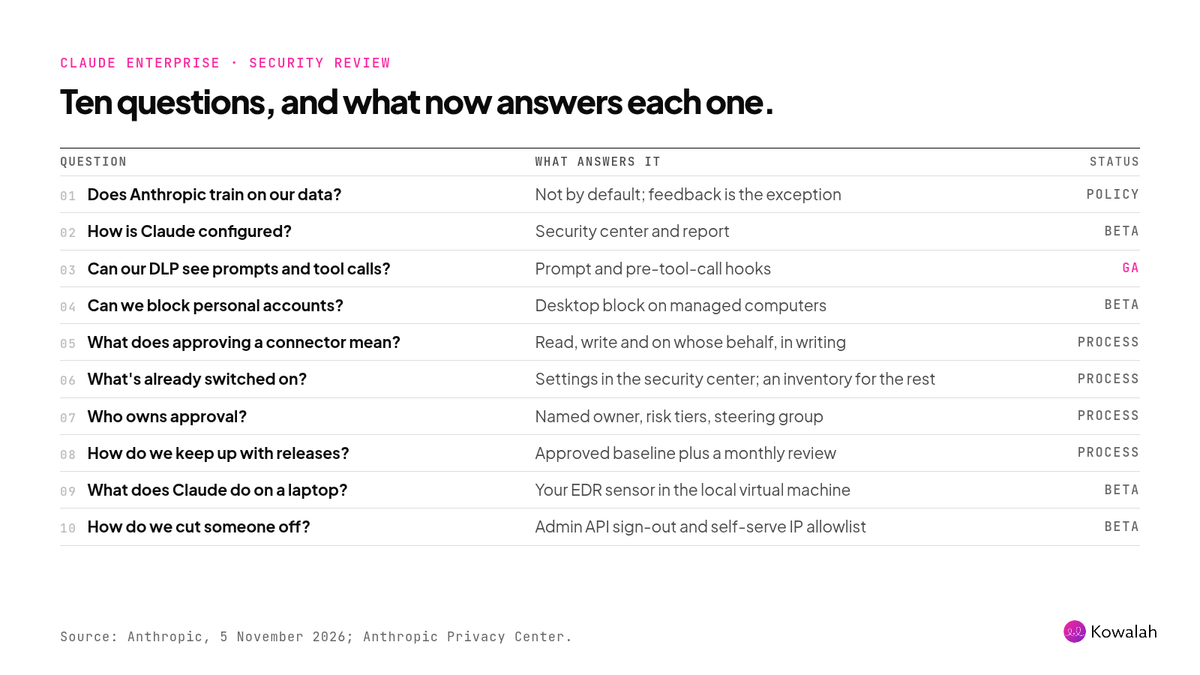
1. Does Anthropic train its models on our data?
Not by default. Anthropic's privacy centre says it won't use inputs or outputs from commercial products, including Claude for Work, to train its models. The exception is feedback: if someone presses thumbs up or down, that conversation can be used. Owners can switch the Rate chats setting off under Organization settings.
2. How do we see how Claude is configured without checking setting by setting?
Use the new security center, currently in beta. According to Anthropic's announcement, it puts the security settings for chat, Cowork and Claude Code on one page, compares each with Anthropic's recommended value, links to where you change it, and flags settings that are new or recently changed.
Admins can record attestations, accept risks and download the page as a report for auditors. Anthropic is clear that it's guidance, not a certification. Treat it as your evidence pack, not your sign-off.
3. Can our DLP tools see what people type and what Claude does?
Yes, if your security vendor is supported. Inference hooks are now generally available. Prompt hooks send prompts to your security tool for a check. Pre-tool-call hooks check a tool call before it runs. Your team keeps the policies it has already written and applies them to Claude.
4. How do we stop people using personal Claude accounts?
Admins can now block personal and other outside Claude accounts in Claude Desktop on managed computers, in beta. That closes one door. It doesn't remove the reason people use personal accounts.
If the corporate version can't do what the free one can, staff will find another device. As one technology leader said when we described that pattern: "So you can't control the data." The fix is a useful corporate setup, not only a block. We set out why in personal Claude vs Claude Enterprise.
5. What does it mean to approve a connector?
It means answering three questions in writing: what can it read, what can it write, and on whose behalf. Ask for a definitive list of the systems each connector or agent can write to and the actions it can take. Approve read-only first, and treat write access as a separate change.
Our connector security review pack walks through it, with a free checklist you can fill in.
6. Can we audit what's already switched on?
Partly, and you should. The security center covers your settings. It won't tell you which skills, plugins and agents people have built and are using. Start an inventory now, before you approve more. The free Claude Feature Gap Audit helps you list what's on, what's off and why.
7. Who owns approval?
Write it down before the first request arrives. A common answer we hear is "I still don't know who's supposed to be owning this." Security sets the rules. A named business owner decides each use case. The steering group settles disputes. If nobody owns it, every request becomes an escalation.
Set approvals by risk, not by tool. Our guide to human sign-off by risk shows how.
8. How do we keep up when Claude changes every few weeks?
Stop treating approval as a one-off. A point-in-time review goes stale the moment a new feature switches on. Instead, approve a baseline, then run a short monthly release review: what changed, which defaults moved, what needs a decision.
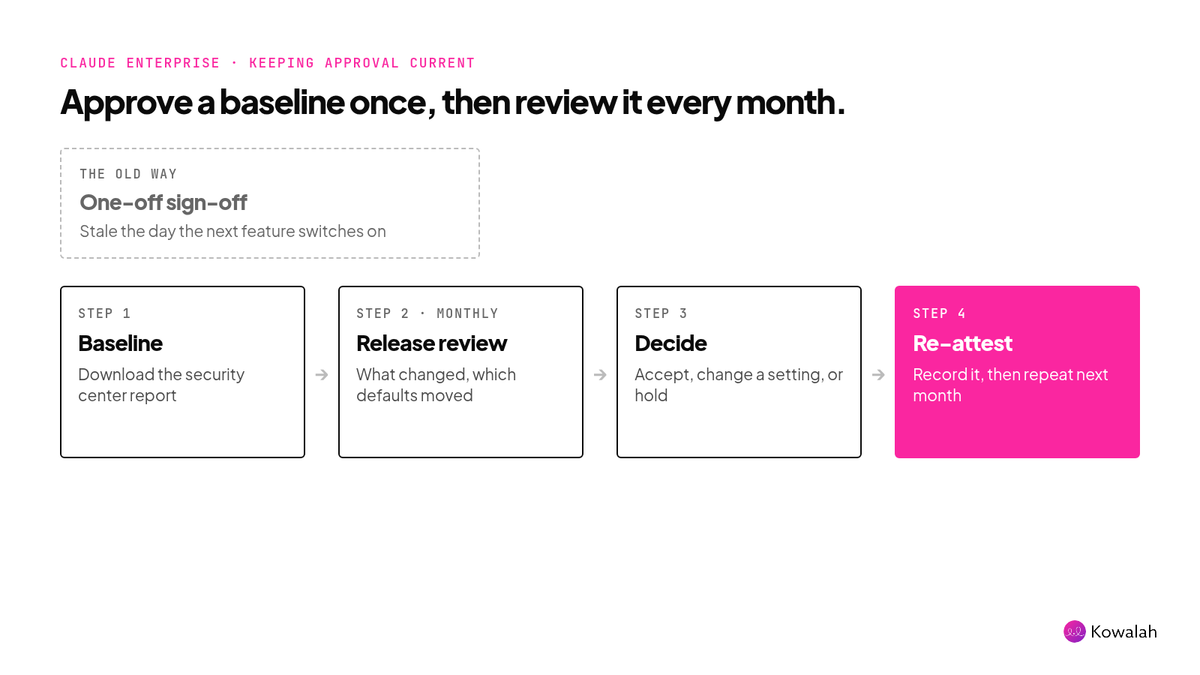
The security center's flag for new or recently changed settings makes that review quicker. Our release review guide has a checklist.
9. Can we see what Claude does on a laptop?
Increasingly, yes. When Cowork works locally, it runs commands in an isolated virtual machine on the user's computer. Admins can now run their own endpoint detection and response (EDR) sensor inside that virtual machine, in beta on macOS and Windows. The sensor reports activity to your existing console in detection mode; it doesn't block. It covers the local virtual machine, not Cowork sessions in the cloud.
10. How do we cut someone off quickly, and keep access on our network?
Two new controls, both in beta. An admin can sign a member out of every browser and device with one Admin API call, without removing them. Note what it doesn't stop: API keys, cloud sessions already running and scheduled routines. Admins can also manage their own IP allowlist, without going through Anthropic.
For groups with several Claude organisations, centralised management (also beta) adds one console for single sign-on, SCIM, domains and groups. Setup can't be undone, so agree your parent admins first. Compliance API keys created at the parent can read data across organisations, so treat them as you would a domain admin key.
What to do this month
- Open the security center and download the report as your baseline.
- Check whether your DLP vendor supports inference hooks.
- Decide your stance on personal accounts, and make the corporate setup worth using.
- Name one owner for approvals and write down the risk tiers.
- Book a monthly release review in the diary.
Where Kowalah fits
Kowalah is a UK Anthropic Implementation Specialist. We help security, IT and the business agree what "approved" means, then keep it current as Claude changes. Recording your skills, plugins and agents in Kowalah is free, so your inventory starts on day one. If you'd like a second pair of eyes on your security review, talk to us.
Frequently asked questions
Is Claude Enterprise secure enough for a UK enterprise?
That's a judgement for your security team against your own policies. The controls now cover configuration review, DLP checks on prompts and tool calls, identity, device and endpoint monitoring. Several are in beta, so confirm what's available on your plan in Anthropic's Help Center.
Is the security center a compliance certification?
No. Anthropic describes it as guidance based on its recommendations, not a certification or a guarantee of compliance with any law or standard.
Do inference hooks work with any DLP tool?
They work with supported security vendors. Check with yours before you plan around them.
Can we block personal Claude accounts on the web?
The new block applies to Claude Desktop on managed computers. Check your own web filtering for browser access.
Does Anthropic use our Claude Enterprise data for training?
Not by default. Feedback submitted through the thumbs up or down button can be used, and owners can turn that off.
Enjoyed this?
Weekly insights for executives navigating enterprise AI. A five-minute read.